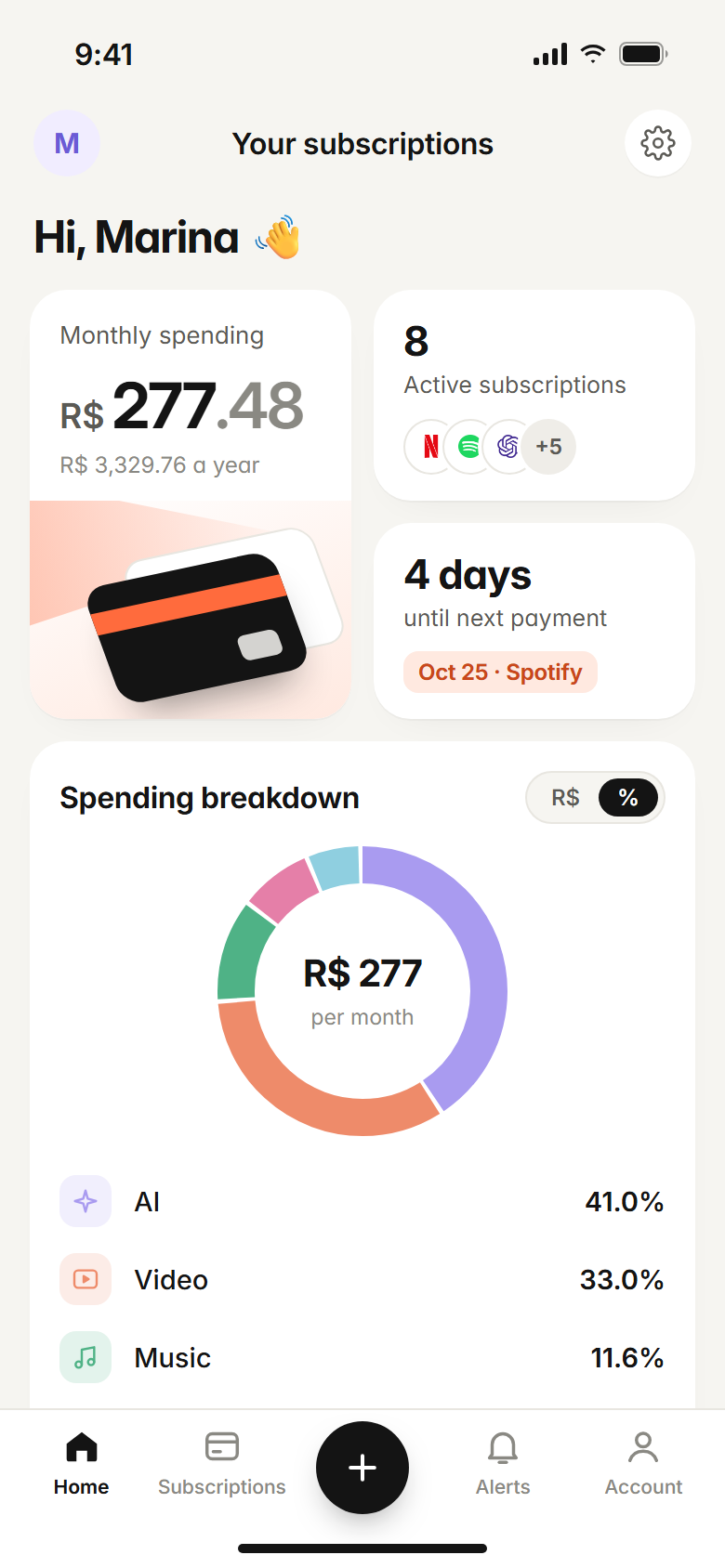
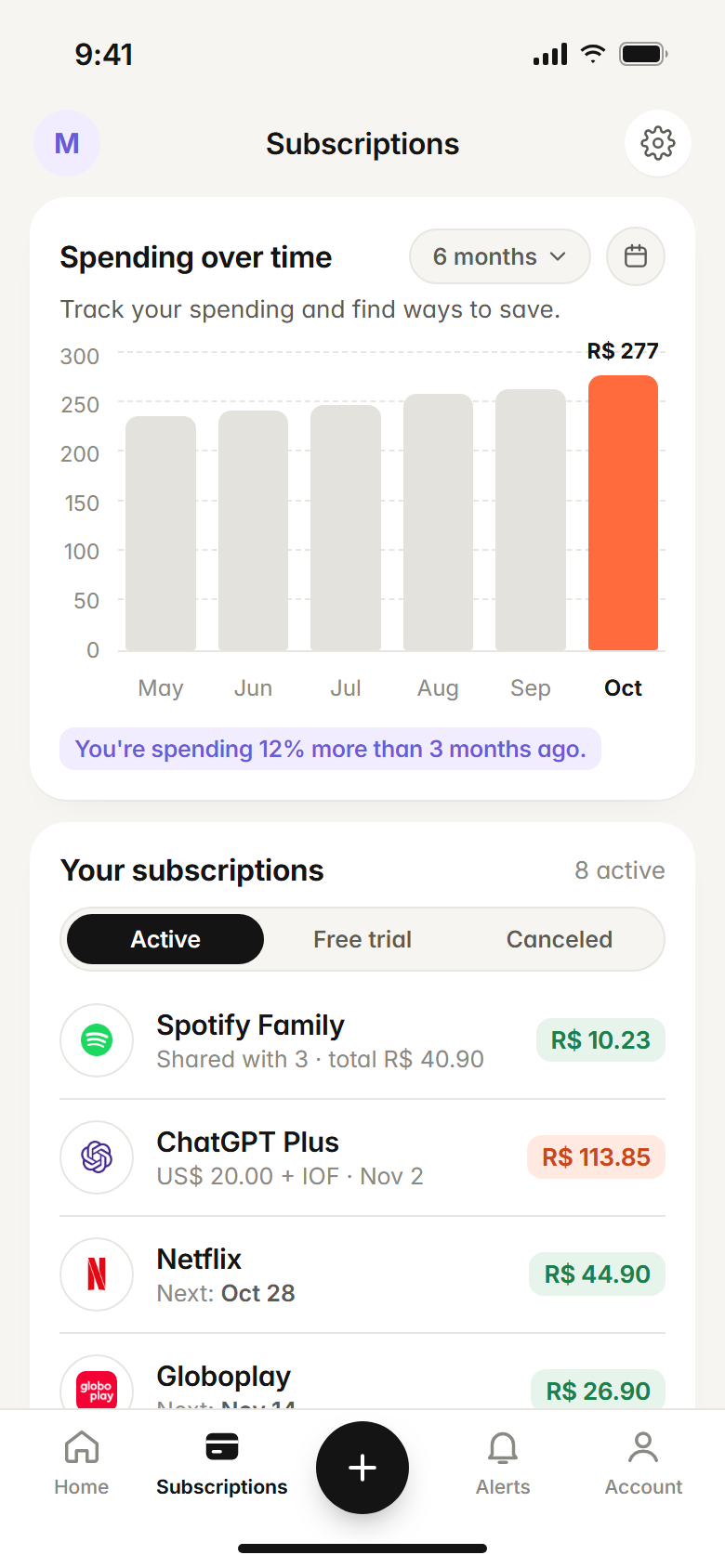
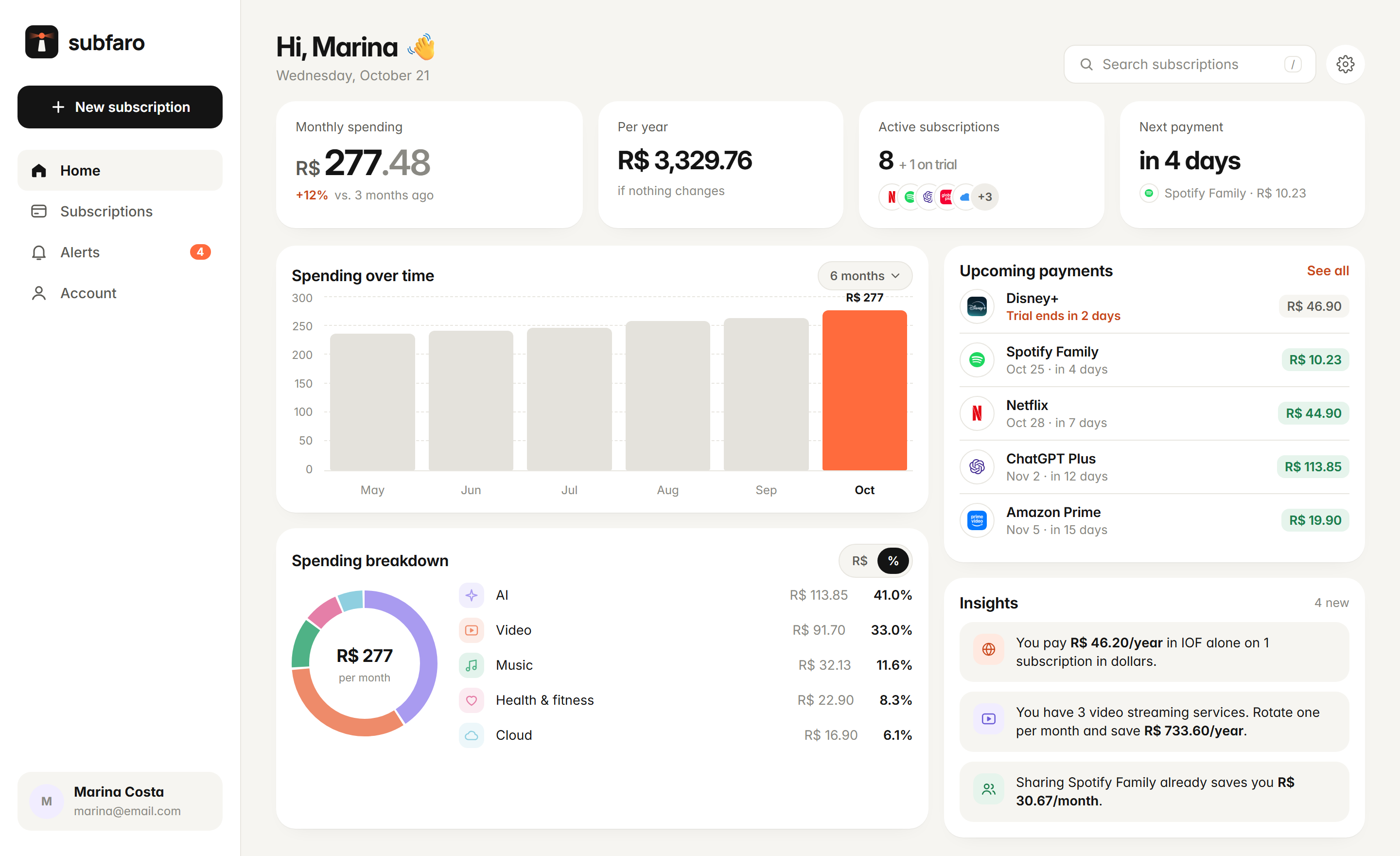
Pick your plan, we track the price. All your subscriptions in one place, with the real cost in reais and a heads-up before every charge. No bank login.
Built for people paying for subscriptions in Brazil.
Not another budgeting spreadsheet. A lighthouse just for the charges that keep coming back.
Plans
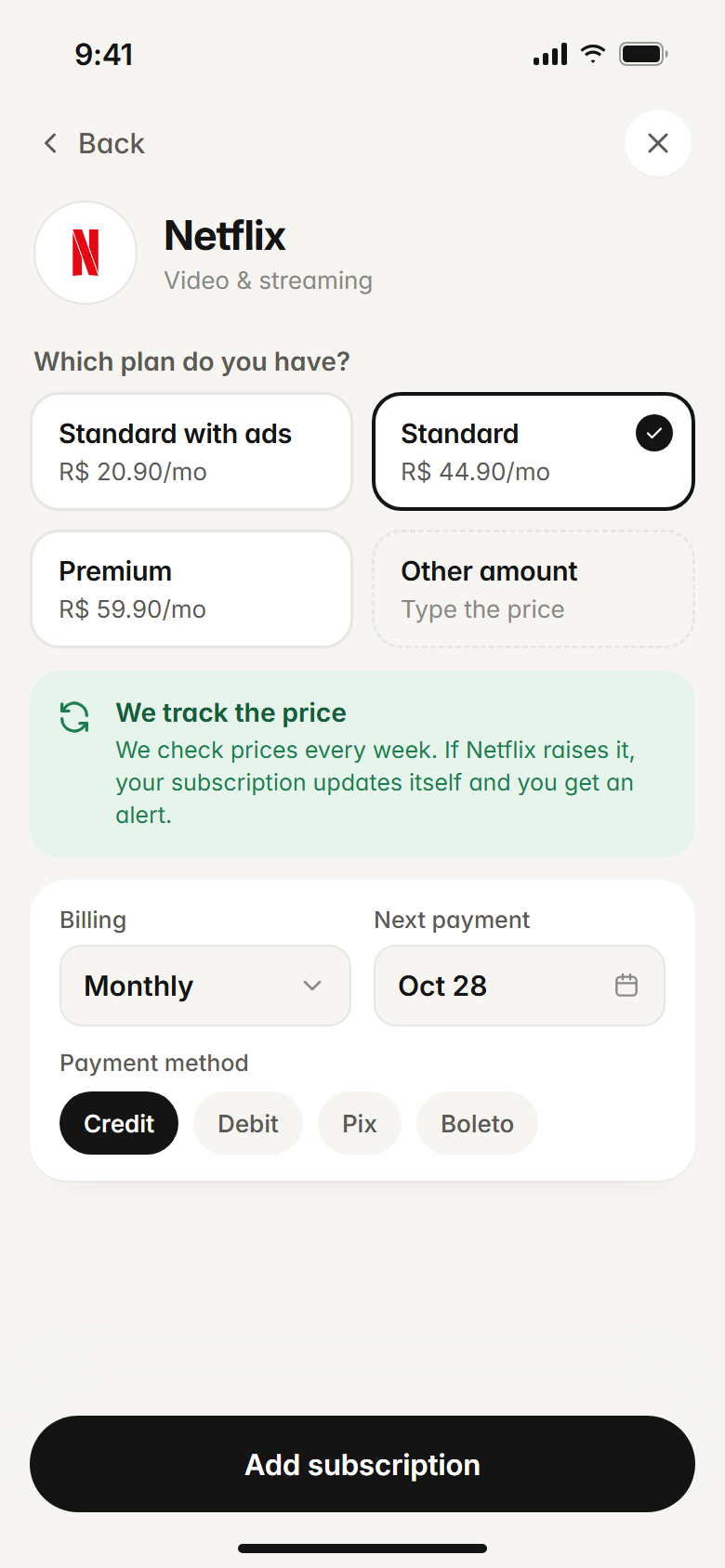
Pick your plan, we track the price.
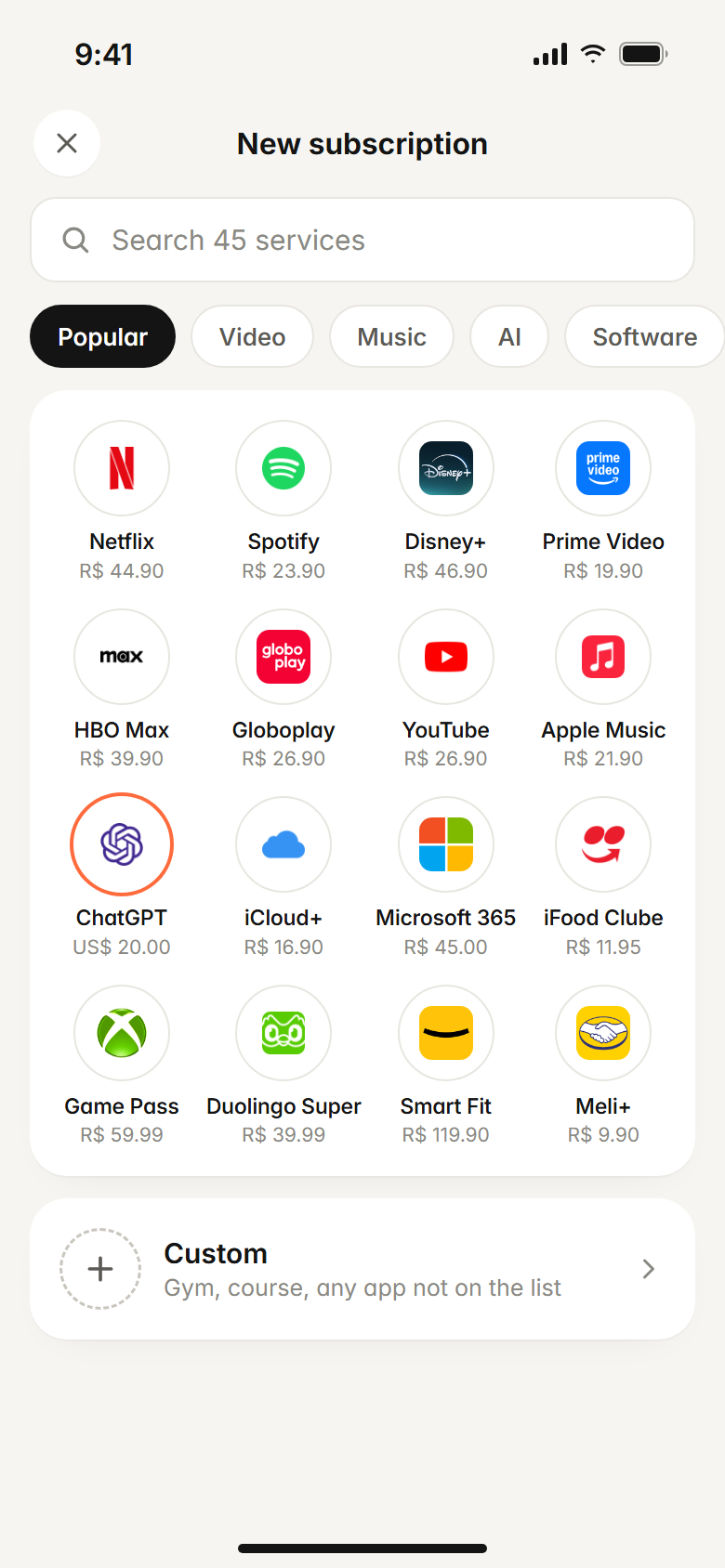
Netflix Standard with ads, Standard or Premium? Tap the plan you have and you're done — no typing prices. We check the prices of about 30 services every week: when one goes up, your subscription updates itself and you get a “Netflix went up 12%” alert. Rather type it in? You can.
Each service's real plans
Prices checked every week
Automatic price-increase alerts
Real cost
What hits your card bill, not the sticker price.
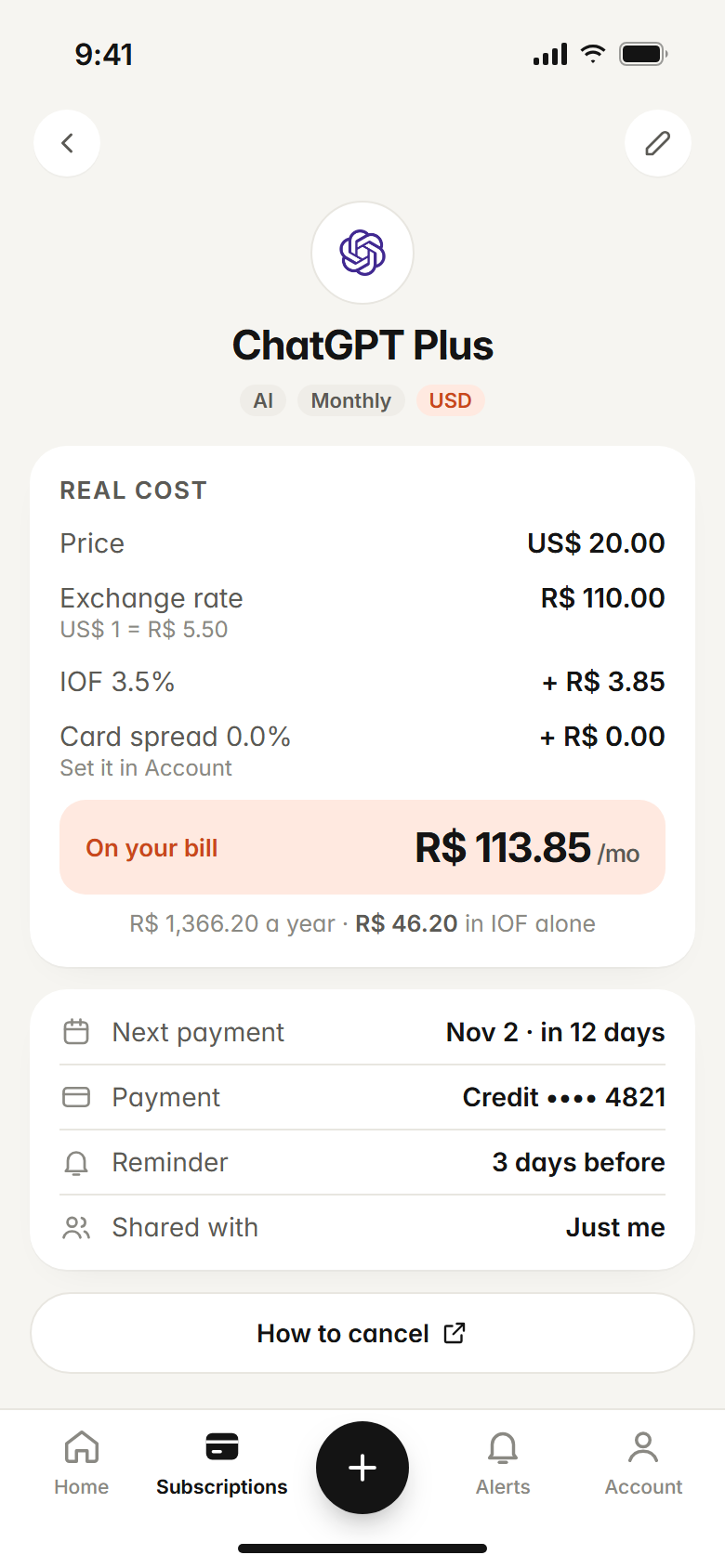
Paying in dollars or euros? Subfaro adds the day's exchange rate, the 3.5% IOF tax and your card's spread. You see in reais what you really pay — per month and per year.
Exchange rate updated through the day
Your card's spread, adjustable
How much goes to IOF alone each year
Alerts
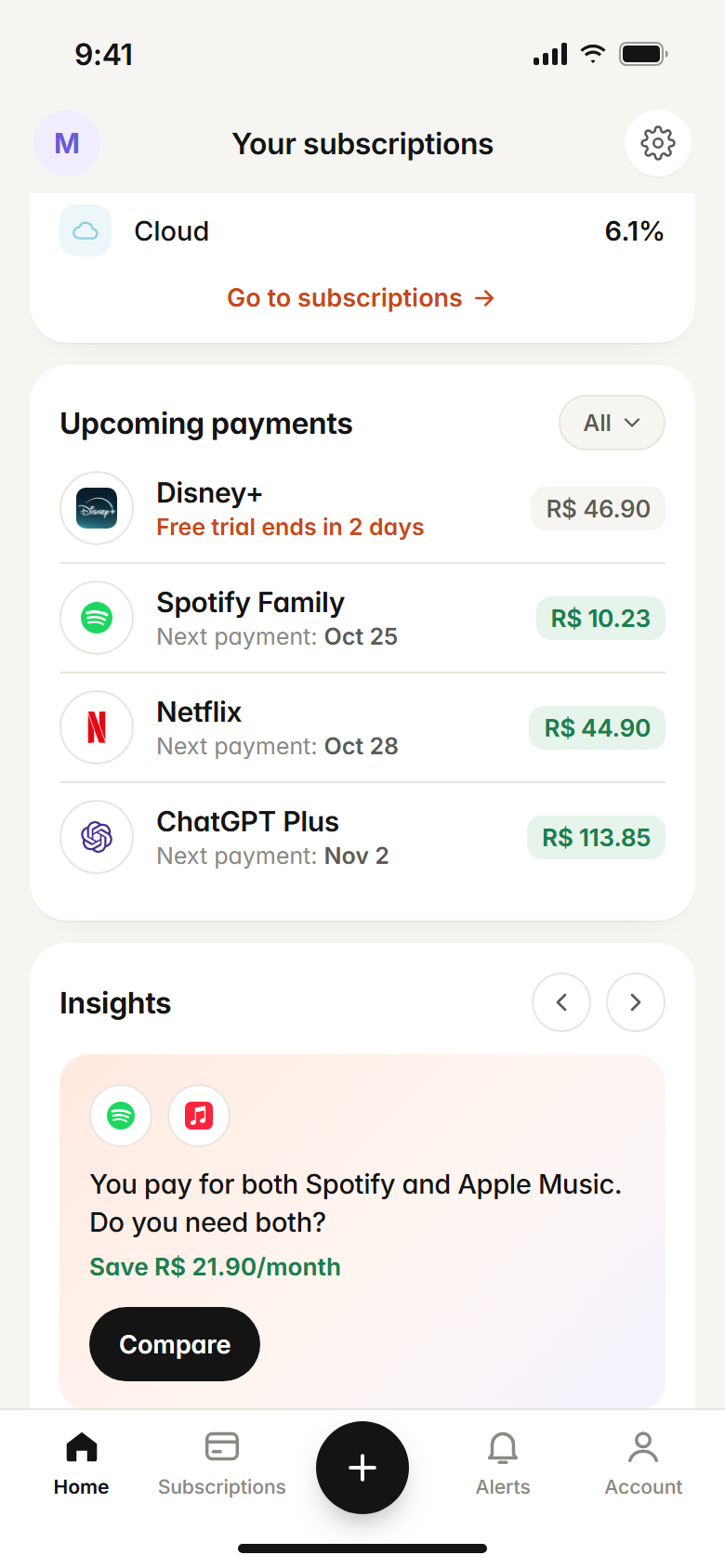
A heads-up before you're charged. Free trials too.
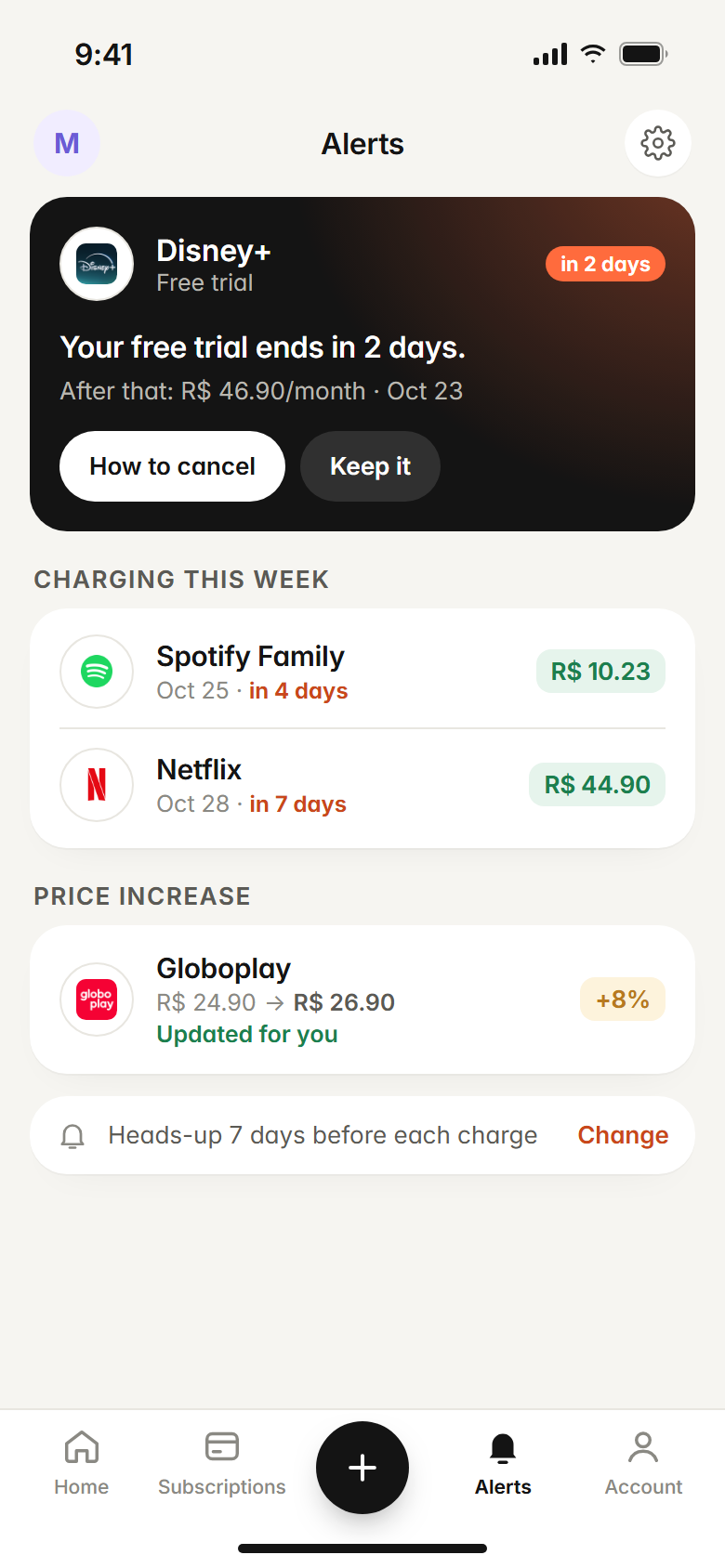
A forgotten free trial is the most common surprise charge. Subfaro tells you when a trial is about to end and a few days before every renewal — you pick how many.
Free trial ending
This week's renewals
Price increases spotted
Insights
Tips that actually save money.
Spotify and Apple Music at the same time? Three video streaming services? Subfaro flags overlaps, shows what you'd save on a yearly plan and suggests streaming rotation: one service a month, without missing a thing.
Overlapping services
Streaming rotation
Yearly plan savings
Shared subscriptions
Spotify Family, Netflix with friends: say how many people share it and only your part counts.
Cancellation guide
A direct link to cancel every service in the catalog. No hunting through hidden menus.
No bank login
No linking accounts or cards. Add things in seconds, and your data stays yours.
Web, Android and iOS
One account everywhere. Start on your phone, check on your laptop.
AI assistants · Pro
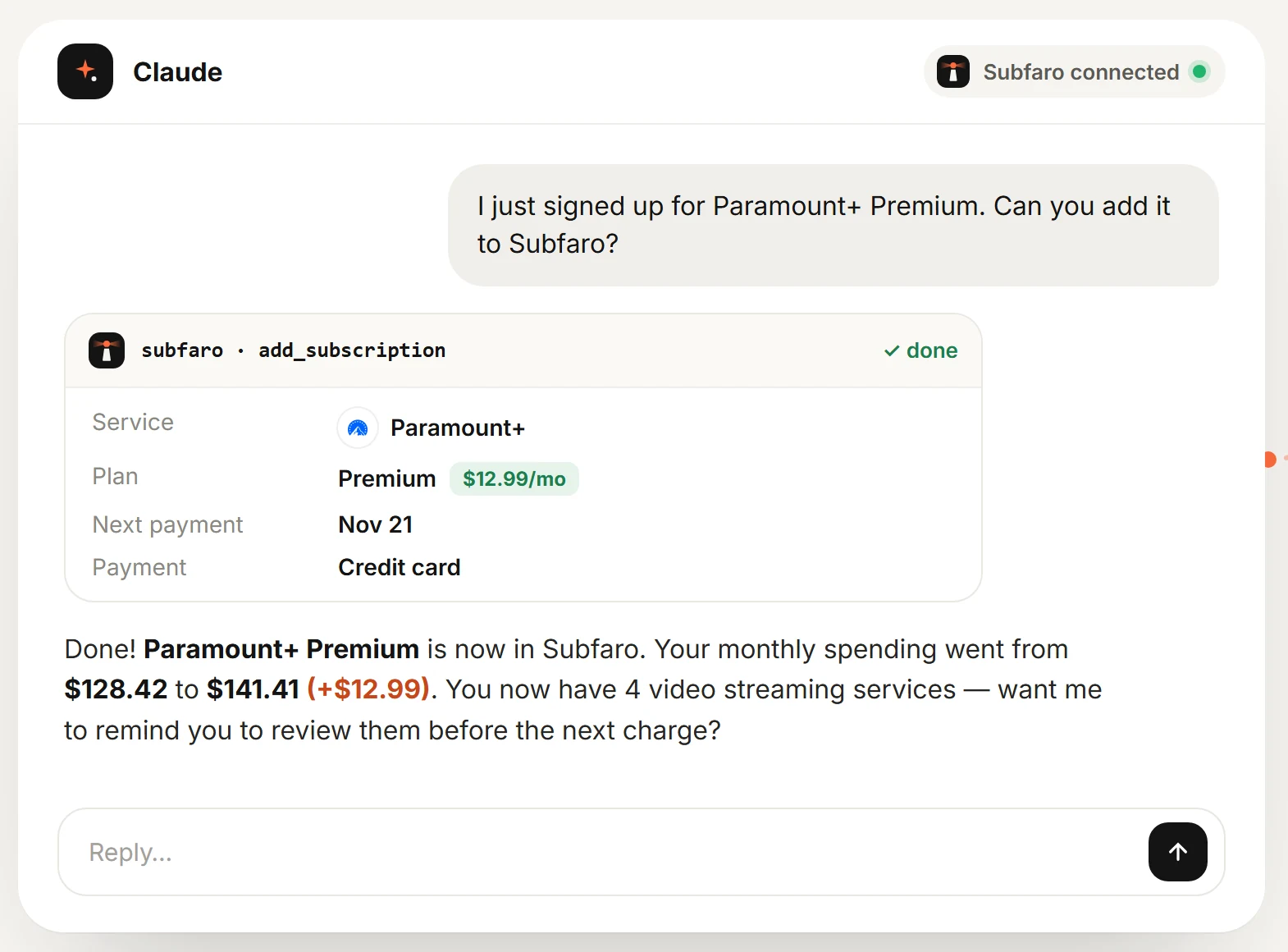
New subscription? Just say it.
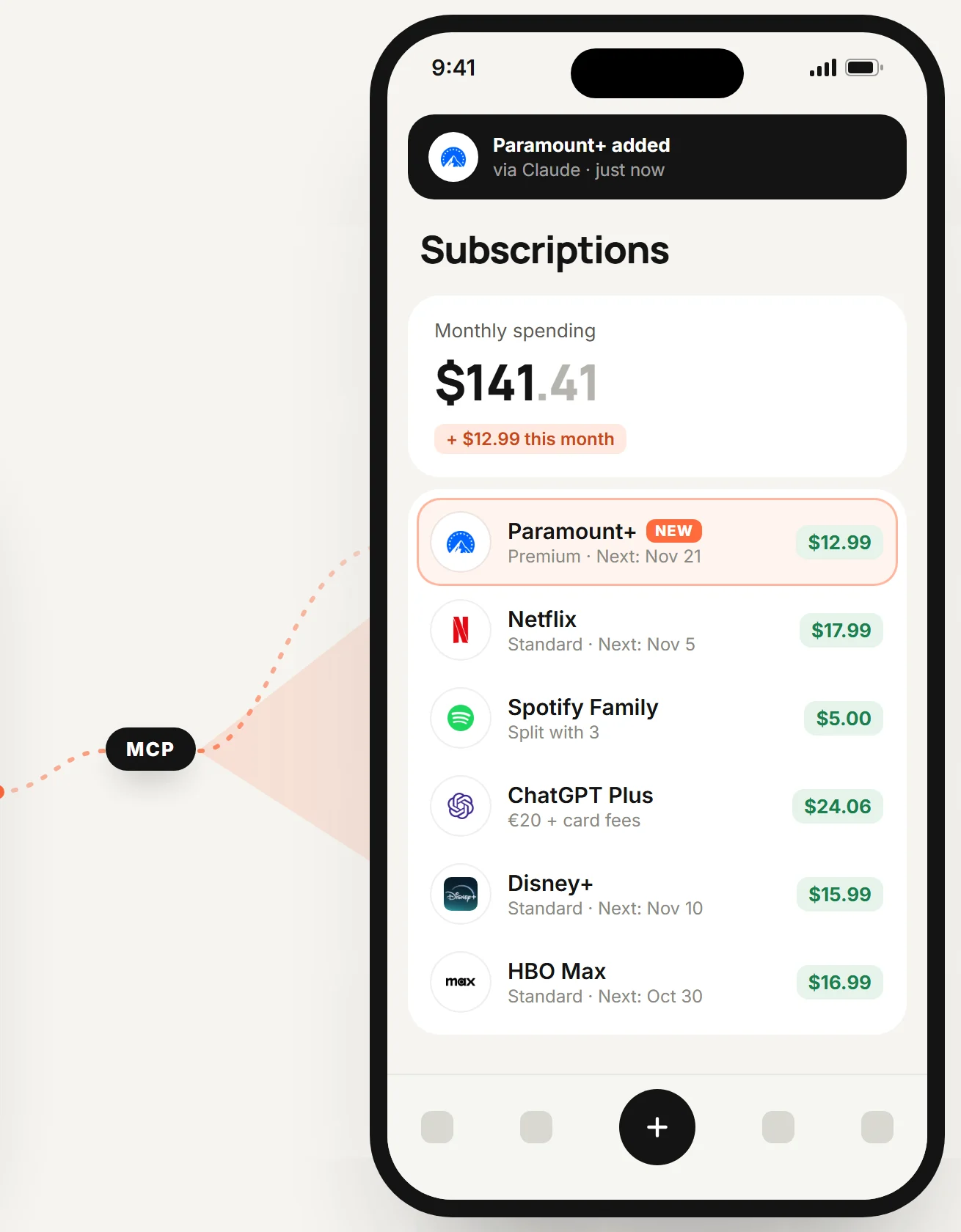
Connect Subfaro to your AI assistant and add subscriptions just by chatting: “I just signed up for Paramount+ Premium, add it to Subfaro.” It picks the plan, fills in the price and the app updates instantly.
Yes. The Free plan has no time limit: up to 10 subscriptions, prices that update themselves, billing and free-trial alerts, real cost with IOF and spread, and CSV export. Pro ($2.99/month or $24.99/year; R$ 9,90 or R$ 79,90 in Brazil) unlocks unlimited subscriptions, custom categories, YouTube memberships and Twitch subs, and the AI assistant connector.
How do I cancel Pro?
Anytime, in Account → Manage subscription. Pro stays active until the end of the period you've paid for, then your account goes back to Free without losing any data. Customers in Brazil who cancel within 7 days of their first purchase get a full refund — just email contato@subfaro.com.
What if a subscription's price changes?
When you pick a plan from the catalog, we keep an eye on its price for you: we check about 30 services every week and, if your plan goes up, the subscription updates itself and you get an alert with the increase. Prices you typed in yourself stay exactly as you left them.
Do I need to link my bank or card?
No. You add your subscriptions by hand, picking from the catalog. It takes seconds and no bank password ever goes through Subfaro.
How do you calculate the real cost?
For subscriptions in a foreign currency, we multiply the price by the day's exchange rate and add IOF (3.5%) plus your card's spread, which you can set in your account. If a subscription is shared, only your part counts.
Does it work with Pix, boleto and any card?
Yes. You choose how each subscription is paid: credit, debit, Pix (including Pix Automático), boleto or other.
What if a service isn't in the catalog?
Create a custom subscription: gym, course, phone plan, anything. If you add the website, we fetch the icon for you.
How do shared subscriptions work?
Tell us how many people share it. Subfaro shows the full price and your part, and only your part goes into totals and alerts.
What data do you keep?
Your name, email and the subscriptions you add. No banking data. You can export everything as CSV or delete your account from inside the app at any time.
Can I use it with an AI assistant?
Yes, on the Pro plan. Subfaro works with MCP-compatible assistants, like Claude: you connect it from your account, choose whether the assistant can only read or can also add and edit subscriptions, and disconnect whenever you want. The assistant never sees your password and can't delete subscriptions.
Which platforms does it run on?
Web, Android and iOS, with one account and everything in sync.
Find out what you really pay.
Adding your subscriptions takes less than a minute.