Subfaro for Claude
MCP connector · Pro plan feature
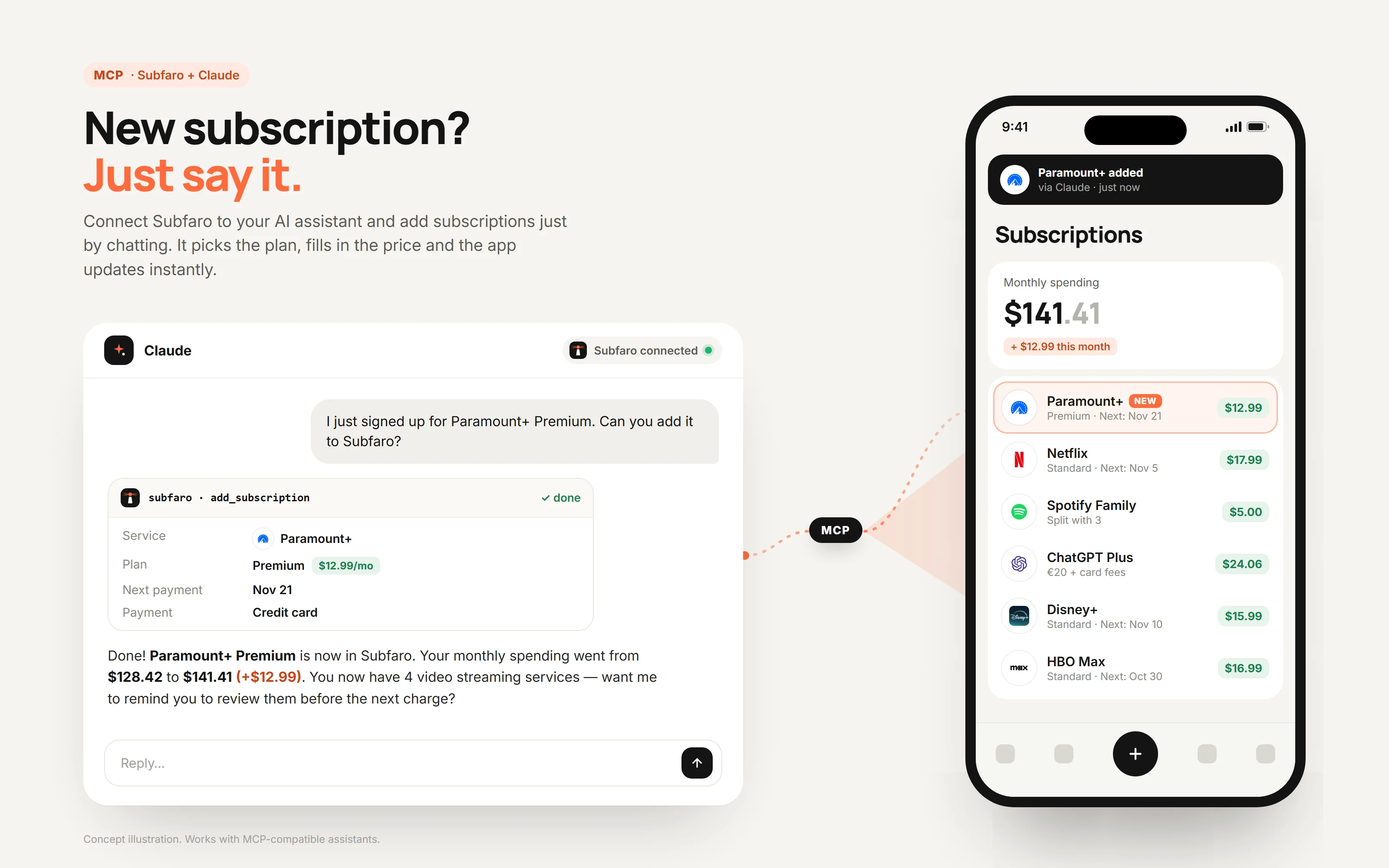
The Subfaro connector lets you check and update your subscriptions by chatting with Claude. Ask how much you spend per month or what renews this week, or say "I just signed up for Paramount+ Premium" — Claude adds it to Subfaro and the app updates instantly, with the real cost in your currency.
1. What you need
- A Subfaro account on the Pro plan (sign up free at app.subfaro.com and get Pro under Pricing).
- Claude on the web, desktop or mobile — or Claude Code.
2. How to connect
In Claude
- Open Settings › Connectors and choose Add custom connector.
- Paste
https://app.subfaro.com/api/mcpand click connect. - Sign in with your Subfaro account.
- On Subfaro's permission screen, choose read-only or read and change, then confirm.
In Claude Code
claude mcp add --transport http subfaro https://app.subfaro.com/api/mcpThen run /mcp in Claude Code to sign in.
3. What Claude can do
- Spending summaryRead
How much you spend per month and per year, by category, your next payment and savings tips. - List subscriptionsRead
Your subscriptions with plan, price, real cost and next billing date; filter active, trial or canceled. - Search the catalogRead
Finds a service in the catalog with its current plans and prices in your country. - Add a subscriptionChange
Adds one from a catalog plan or a price you give. Asks back when the plan is unclear and avoids duplicates. - Update a subscriptionChange
Changes plan, price, cycle, next date, payment method, sharing and notes; pauses or resumes. - Mark as canceledChange
Records the cancellation in Subfaro (you can undo it) and gives you the link to cancel with the provider. It doesn't cancel anything with the provider for you.
4. Example prompts
- How much am I spending on subscriptions per month, and which category costs the most?
- What gets charged in the next 7 days? Any free trial ending?
- I just subscribed to Paramount+ Premium — add it to Subfaro.
- Netflix went up to R$ 59.90 — update it.
- I canceled Disney+ today, mark it as canceled.
- Which of my streaming services overlap? Where could I save?
5. Safety and control
- Claude asks for your confirmation before changing a subscription.
- You can connect read-only: change tools aren't even shown to Claude.
- Every change Claude makes is logged in Settings › Integrations with an Undo button, and the subscription gets a "via Claude" badge.
- There is no delete tool: Claude can't delete subscriptions or your account.
- Subfaro never moves money and never asks for bank or card details.
- Up to 30 changes per hour on each connection.
- Disconnect whenever you want; access is revoked immediately.
6. Privacy
When connected, Claude can read your subscription names, prices, dates and spending summary — only what it needs to answer what you ask. That data is then also processed by Anthropic under the Anthropic privacy policy. Subfaro never gives your password to the assistant. Details in the AI assistants section of our Privacy policy.
7. Troubleshooting
"Pro plan required"
The connector is a Pro feature. Get Pro at app.subfaro.com, then connect again.
Claude stopped reaching Subfaro
In Claude's Settings › Connectors, disconnect Subfaro and connect again, signing in with your account. If you connected read-only and want to allow changes, reconnect and choose read and change.
How to revoke access
In Subfaro, go to Settings › Integrations and disconnect Claude — access is revoked immediately. You can also remove the connector in Claude's settings.
8. Support
Questions or problems with the connector: suporte@subfaro.com.
GZ SEGURANÇA E DEFESA CIBERNÉTICA LTDA · CNPJ 40.988.106/0001-60 · Cascavel, Paraná, Brazil. "Claude" is a trademark of Anthropic, used here only to identify the integration.
This English version is provided for convenience. For users in Brazil, the Portuguese version prevails.