Features
Everything Subfaro does for your subscriptions.
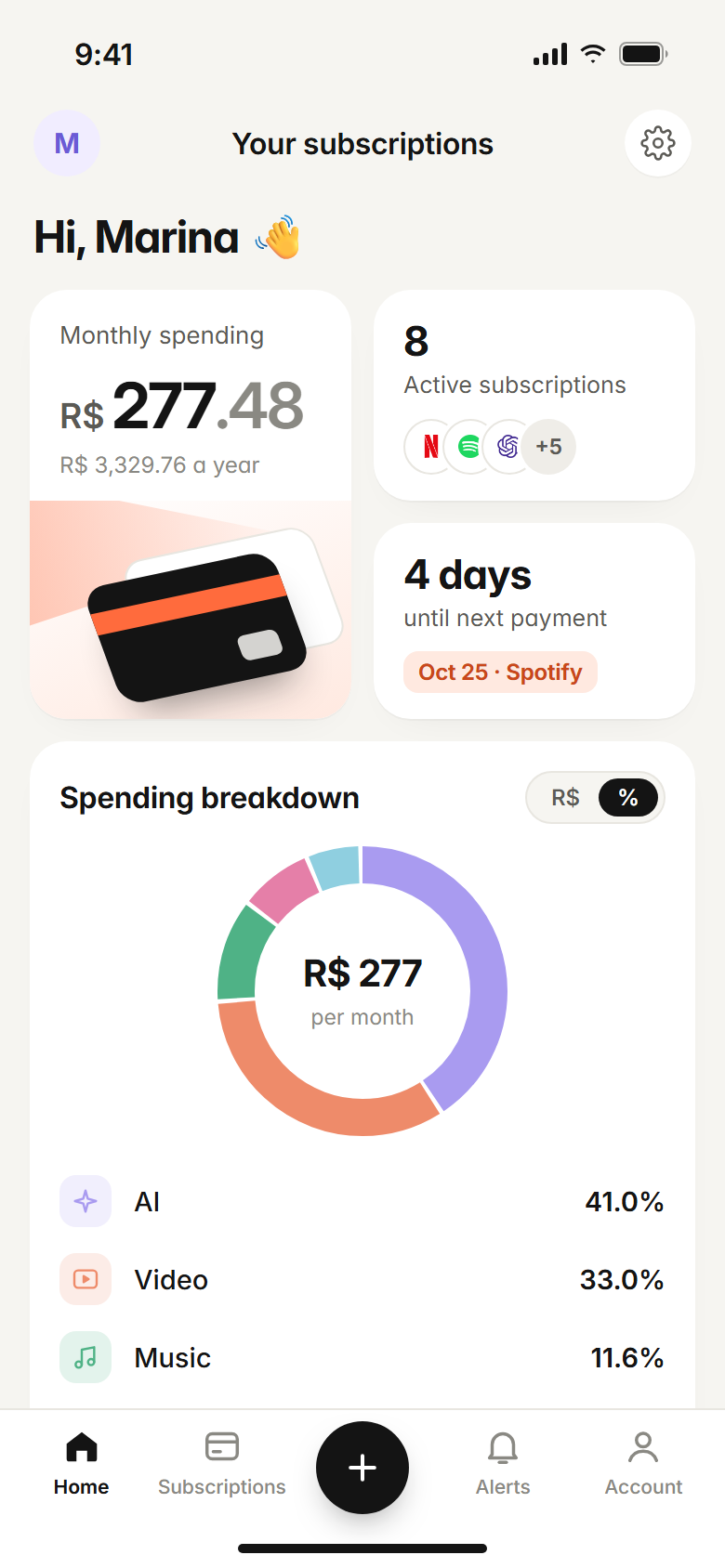
Pick the plan you have. Subfaro fills in the price, keeps it current and tells you before anything charges.
Free for up to 10 subscriptions. No card needed.
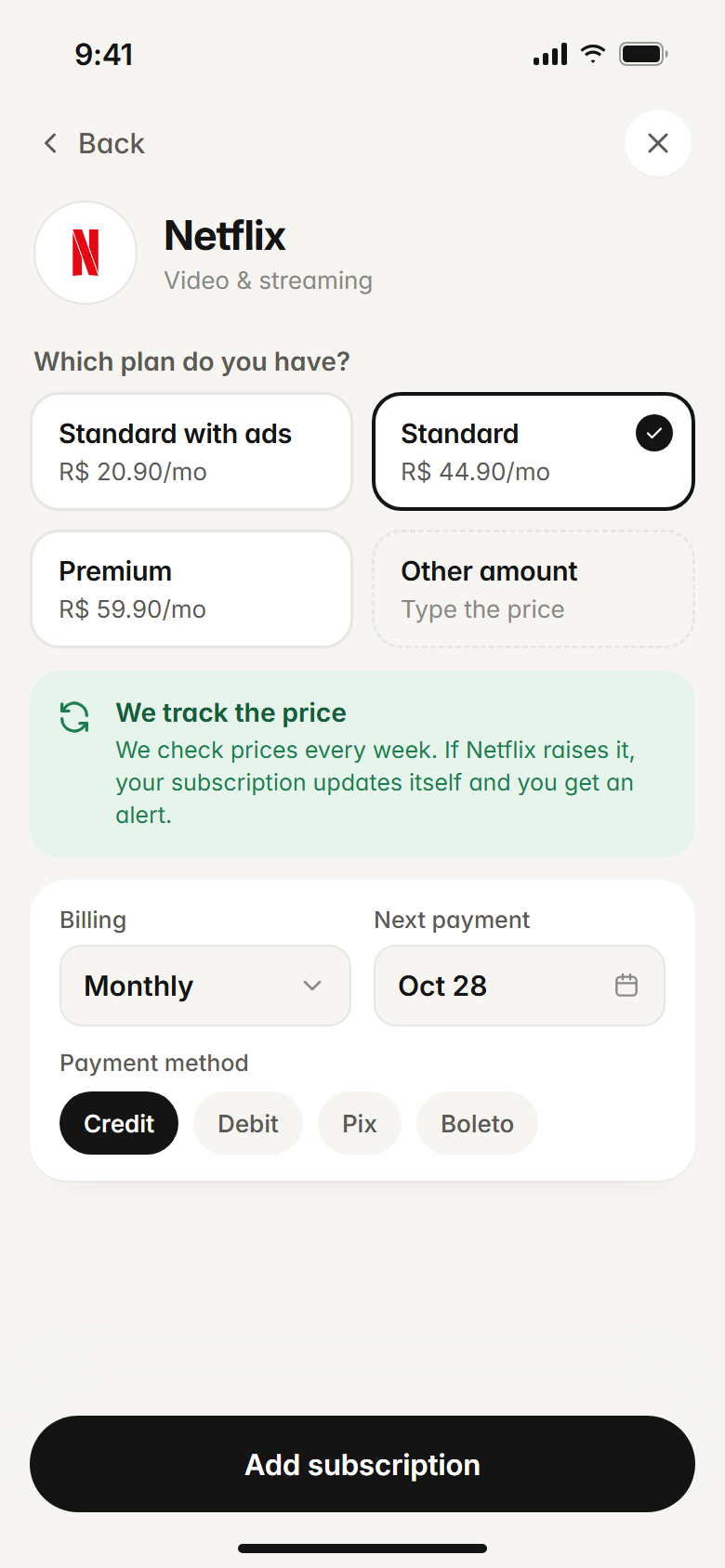
Pick your plan. We track the price.
Netflix Standard with ads, Standard or Premium? Tap the one you have — no typing prices. We check prices every week. When your plan goes up, your subscription updates itself and you get an alert. Rather type it in? You can.
- Each service's real plans
- Prices checked every week
- Automatic price-hike alerts
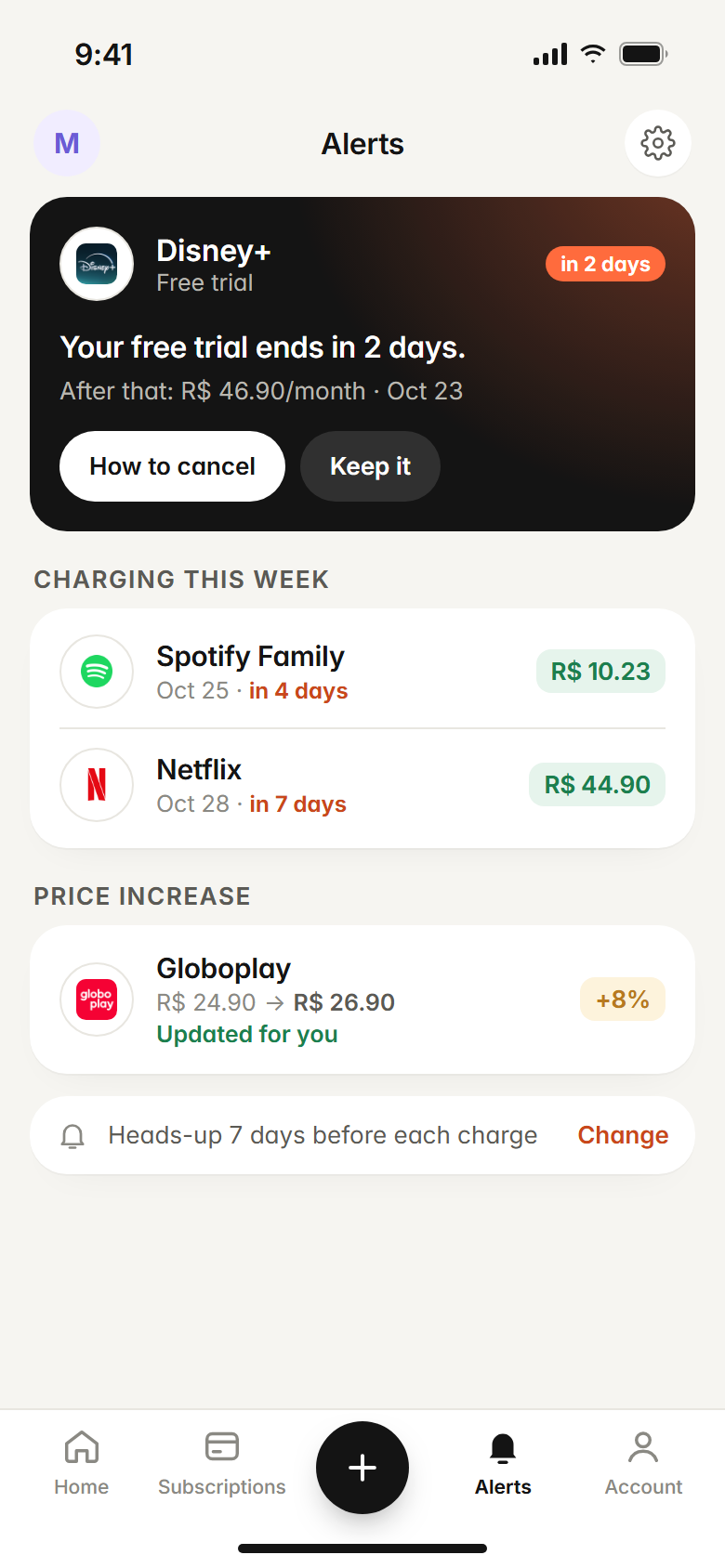
A heads-up before you're charged. Free trials too.
A forgotten free trial is the classic surprise charge. Subfaro tells you before a trial ends and a few days before every renewal — you pick how many.
- Free trial ending
- This week's renewals
- Price hikes caught
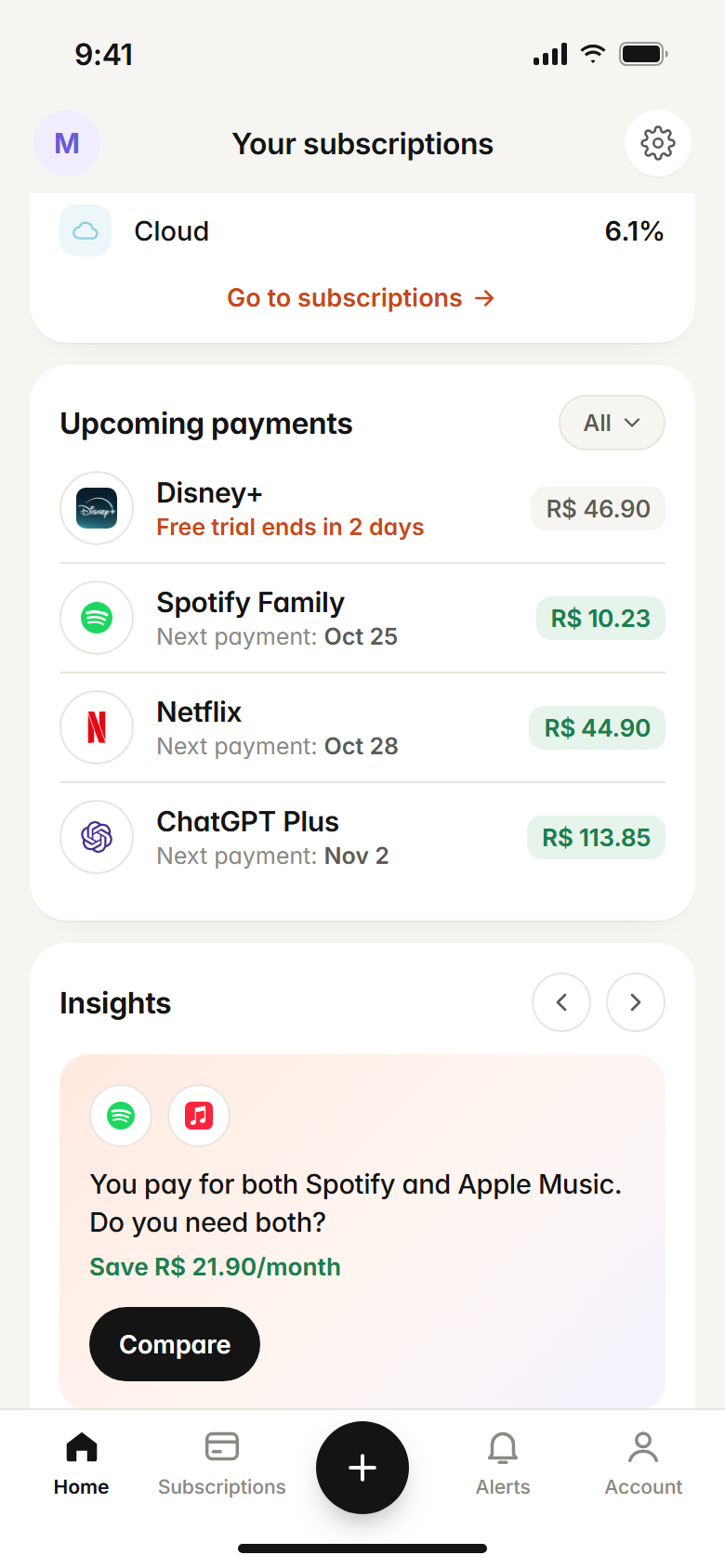
Tips that actually save money.
Paying for Spotify and Apple Music? Three streaming services at once? Subfaro flags overlaps, shows what a yearly plan would save and suggests rotating streaming: one service a month, without missing a show.
- Overlapping services
- Streaming rotation
- Yearly plan savings
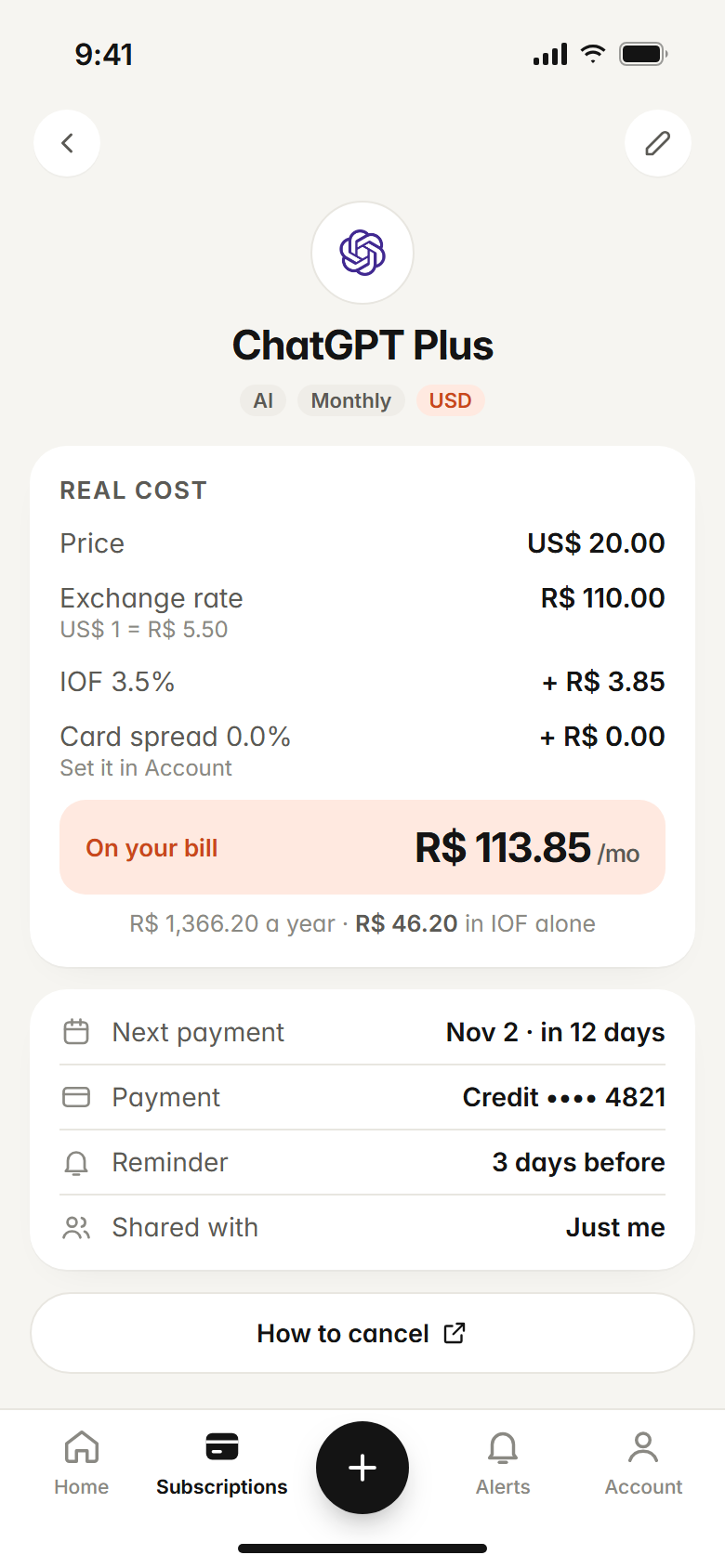
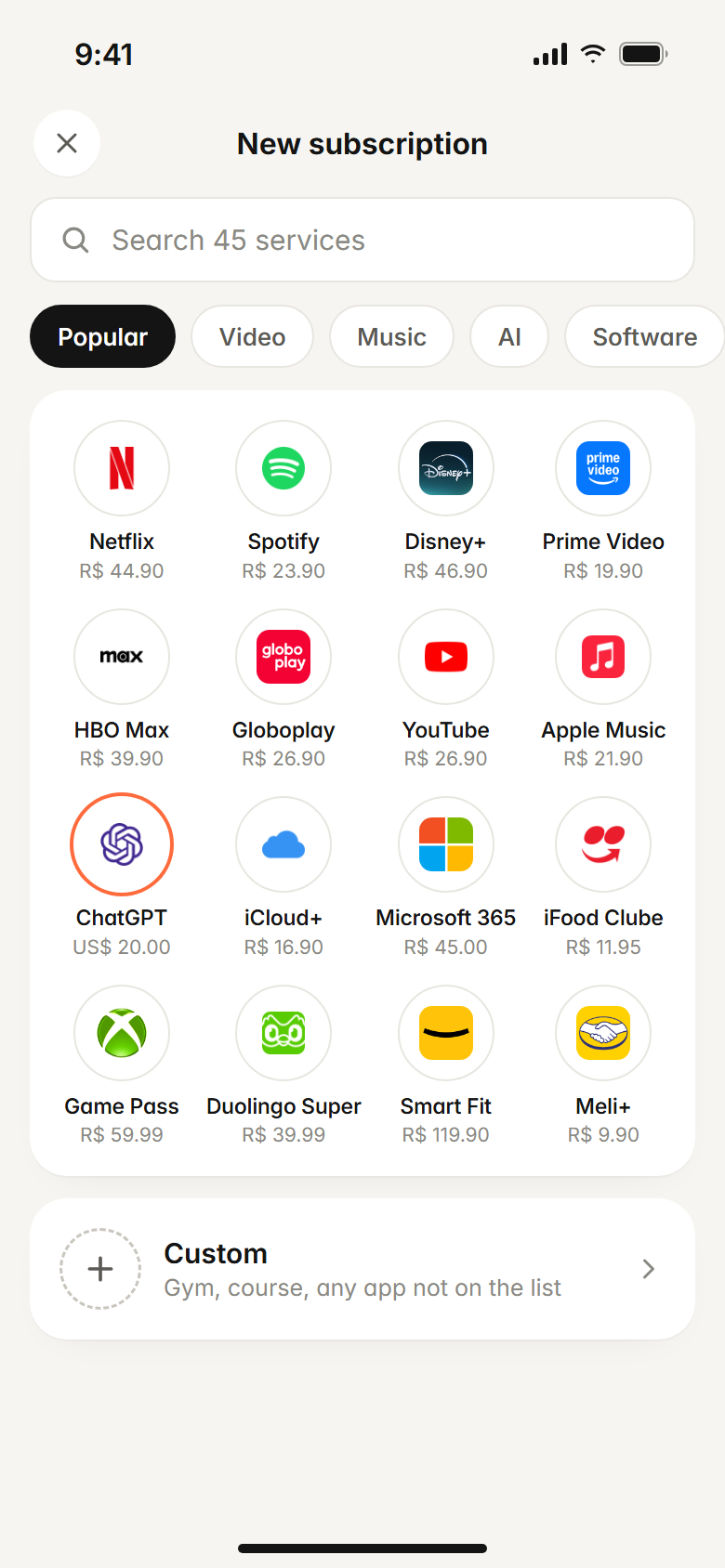
What you really pay, per month and per year.
Monthly and yearly plans add up to one number. Shared plans count only your part. So the total you see is the one that leaves your account.
- Your yearly total at a glance
- Only your share of family plans
- Every billing cycle in one total
And more, on every plan
Shared plans
Spotify Family, Netflix with roommates: say how many people share it and only your part counts.
Cancel guides
A direct link to cancel every service in the catalog. No hunting through menus.
No bank login
No linking accounts or cards. Add things in seconds, and your data stays yours.
Phone and computer
Use it in any browser, or add it to your iPhone or Android home screen, with notifications before every charge.
Charge calendar
Every upcoming charge on one calendar. Pro syncs it with Google, Apple or Outlook.
Weekly summary
A short email each week with what's coming up, plus a report at the end of the month.
Export anytime
Download everything as CSV, or delete your account from the app whenever you want.
Anything recurring
Gym, phone plan, a course: add a custom subscription. Give us the website and we fetch the icon.
Works where you are
Wherever you already are.
Add subscriptions by chatting with AI, get reminders on WhatsApp, save them from Chrome, or keep it on your phone.
New subscription? Just say it.
Connect Subfaro to your AI assistant and add subscriptions just by chatting: “I just signed up for Paramount+ Premium, add it to Subfaro.” It picks the plan, fills in the price and the app updates instantly.
- Works with MCP-compatible assistants, like Claude
- You choose: read-only or read and edit
- Every change is logged in your account, with undo
Connecting is optional, and you can disconnect at any time. How we handle your data
How to connect ClaudeYour subscriptions on WhatsApp too.
Link your number and get a heads-up before every charge. Want to know what's due this week or add something new? Just send a message.
Pro only · up to 100 messages/month
- 1Get Subfaro Pro.
- 2In the app, go to Settings › Notifications and tap Connect WhatsApp.
- 3Send the code you see to our number. Done: reminders arrive there.
Our only official WhatsApp is +1 (320) 233-3968, named Subfaro. We never ask for passwords, verification codes or card details.
Add subscriptions in one click.
Open your Netflix, Spotify or YouTube account page and Subfaro offers to add it — with the plan, price and next charge date already filled in.
- Reads only account and billing pages, on sites you allow
- Never payment pages or anything you type
- Skips what you already track
Install it on your computer from the Chrome Web Store. What the extension reads

On your phone. On your computer.
Use Subfaro in any browser. On Android, Chrome installs it like an app; on iPhone, add it to your Home Screen from Safari. Either way, you get a notification before every charge.
- One account everywhere
- Notifications before every charge
- A full dashboard on your computer
Google Play and App Store apps are on the way, with the same account.
Open Subfaro on the web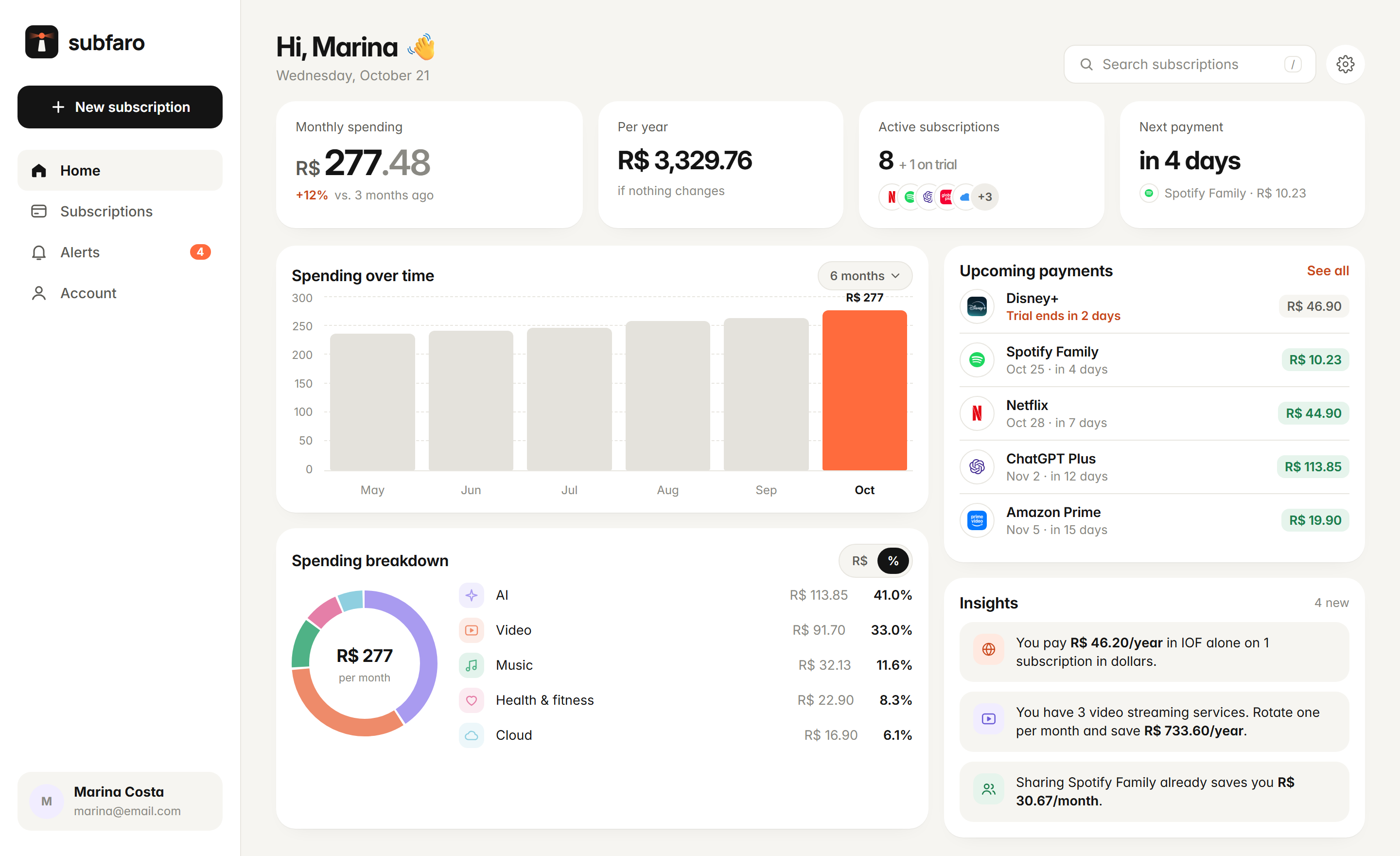
How it works
Three steps. Under a minute.
- 1
Create your account
Just name, email and password. No bank, no card.
- 2
Pick service and plan
Tap the icon and the plan you have. Price, category and billing cycle come filled in — and stay up to date.
- 3
Relax
Subfaro reminds you before charges and shows where you can save.
No charge will catch you off guard again.
Adding your subscriptions takes less than a minute.
Free for up to 10 subscriptions. No card needed.