Money6 min read
Free Trial Ending? How to Avoid Being Charged
How to avoid free trial charges: set reminders, cancel right after signing up, use virtual cards, handle App Store trials and what to do if you were charged.

In this article
- Why free trials turn into charges
- Set a reminder before the trial ends
- Cancel right after signing up, when it's allowed
- Free trials through the App Store and Google Play
- Virtual cards: an extra layer of protection
- How to check if a free trial is still active
- Charged after a free trial? Here's what to do
- How Subfaro helps
To avoid being charged after a free trial, you need to cancel before the renewal date, not whenever you happen to remember. The safest approach is to note the trial's end date the moment you sign up, set a reminder a day or two before it, and, when the service allows it, cancel right after signing up.
Why free trials turn into charges
Almost every free trial asks for a card and converts into a paid subscription automatically. If you don't cancel before the trial ends, the first charge hits your card, often with no extra warning, sometimes on the very day the trial runs out.
The amount can be bigger than you expect, especially when a trial converts into a yearly plan. Here's what some services cost once billing starts:
| Service | Price after the trial (base plan) |
|---|---|
| YouTube Premium | $15.99/mo (Individual) |
| Spotify | $12.99/mo (Premium Individual) |
| Amazon Prime | $14.99/mo or $139/yr |
| Apple TV+ | $14.99/mo |
| Canva Pro | $18/mo or $144/yr |
| Paramount+ | $8.99/mo (Essential) |
Prices checked in October 2026. Trial offers change often; check the terms on the sign-up screen.
Watch out for trials that convert to a yearly plan
Before you accept a trial, check which plan starts billing at the end. If it's the yearly one, the first charge lands all at once: with Amazon Prime yearly, that's $139 in one go instead of $14.99. Canva Pro yearly is $144 at once.
Some sign-up screens preselect the yearly option because it looks cheaper per month. That's fine if you plan to stay, but it turns a forgotten trial into a much bigger mistake.
A discounted first month is a trial too
Cheap first-month deals, free months bundled with your phone plan and perks from a credit card work the same way: when they end, the full price kicks in, often with no new warning. Treat these offers like a free trial and write down the date the promo ends.
Set a reminder before the trial ends
A reminder is the single habit that prevents most surprise charges. As soon as you confirm the sign-up:
- Find the exact end date of the trial. It's usually on the confirmation screen, in the welcome email or on your account page.
- Set a reminder two days before, not on the last day. Time zones, billing cutoffs and processing delays can move the charge earlier than you think.
- Put the cancel link in the reminder so you don't waste time hunting for it.
A calendar event with two alerts works well: one two days before and one on the morning of the last day. If the trial is on a shared family card, put it on a shared calendar so whoever pays the bill sees it too.
For App Store trials, Apple advises you to cancel at least 24 hours before the trial ends. Use that margin as a rule for every service.
Cancel right after signing up, when it's allowed
If you only want to try something, the calmest strategy is to turn off renewal the same day you sign up. With many services you keep using it until the trial ends, and the charge never happens.
That doesn't work everywhere, though. Some services end access as soon as you cancel the trial. Before you confirm, read the notice on screen: if it says access ends immediately, keep the trial running and rely on your reminder.
Free trials through the App Store and Google Play
When you start a trial inside an app on your phone, the store bills you. You cancel there too, not on the service's website.
- iPhone and iPad: open Settings, tap your name and look for your subscriptions list. Apple explains it in how to cancel a subscription from Apple.
- Android: open your Google Play subscriptions and pick the one you want to end.
Remember: uninstalling the app doesn't cancel the subscription. Store pricing can differ, too: YouTube Premium Individual costs $20.99/mo through the App Store, versus $15.99/mo directly with YouTube. See the plans on YouTube Premium in Subfaro.
Virtual cards: an extra layer of protection
Many card issuers and banking apps let you create virtual card numbers. Using one just for free trials helps in two ways: it's easy to see what's being charged to it, and you can lock or delete it whenever you want.
Two important caveats:
- Locking the card doesn't cancel the subscription. The service may retry the charge, suspend your account with a balance due or ask for another card. Always cancel through the official route.
- Some services decline virtual or prepaid cards for trials. If that happens, use your main card and make your reminder count.
How to check if a free trial is still active
Not sure whether you canceled? You can check in a few minutes:
- In the service's account: the subscription or plan page shows whether a next charge is scheduled and when. If you see a renewal date, the trial is still going to convert.
- In the App Store: in your subscriptions list, a trial you already canceled shows the date access expires instead of a cancel option.
- In Google Play: your subscriptions page shows whether each subscription is active and when it renews.
- In your email: search for "trial", "subscription" and the service's name. If you canceled, the confirmation should be there.
- On your card statement: small monthly charges are easy to miss. Scan each statement for merchant names you don't recognize, including "APPLE.COM/BILL" and "GOOGLE" lines that can hide several subscriptions.
Charged after a free trial? Here's what to do
Don't wait for the next statement. The sooner you act, the better your odds of a refund.
- Cancel right away so there's no second charge.
- Ask the service for a refund through support chat or a help form, explaining that you didn't use the paid period. Many agree when you ask soon after the charge.
- If the store billed you, request a refund at reportaproblem.apple.com for Apple, or through Google Play's refund page.
- If you're refused, a charge you canceled in time is a billing error you can dispute with your credit card issuer. The FTC explains the process, including the 60-day window.
For more on refunds, remaining paid time and keeping proof, see our guide on how to cancel subscriptions.
How Subfaro helps
Keeping track of a dozen dates is hard, and that's exactly where free trials get you. In Subfaro, you add the trial with its end date and get an alert before the trial ends, with time to decide whether to keep it or cancel. Pick the plan and the price fills in, so you know exactly what you'll pay if you stay.
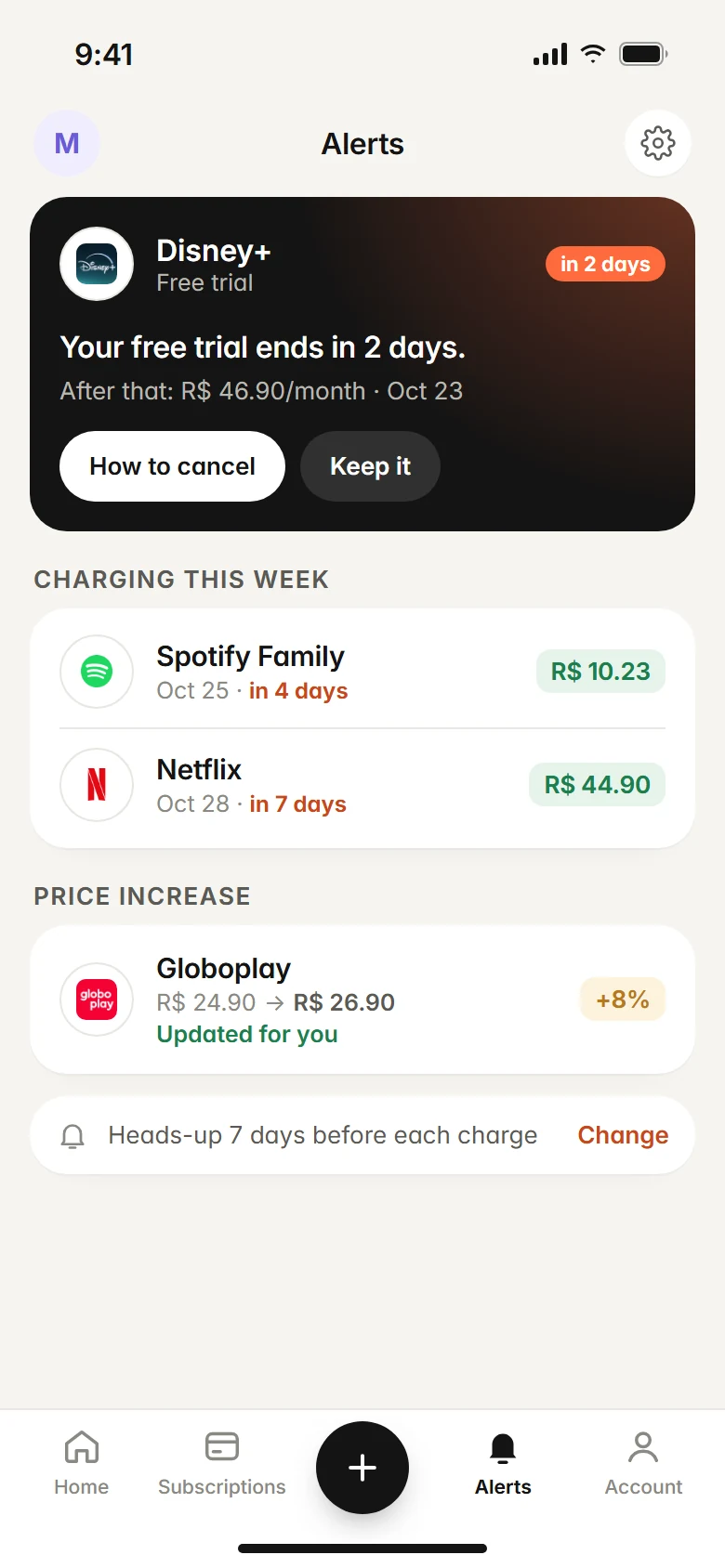
Subfaro also gives you each service's official cancel link and alerts you before every charge on the subscriptions you decide to keep. If you suspect an old trial already turned into a subscription, upload your card statement (PDF, CSV or OFX): Subfaro finds the recurring charges without any bank login, and the file isn't stored. The free plan tracks up to 10 subscriptions with no time limit: create your free account.
FAQ
If I cancel a free trial on day one, do I lose access?
It depends on the service. Many let you keep using it until the trial ends even after you cancel, but some cut access right away. The cancel screen usually tells you which applies.
How early should I cancel a free trial?
At least one to two days before it ends. For App Store trials, Apple recommends canceling at least 24 hours before the trial ends.
Does freezing or deleting my card cancel the trial?
No. The subscription stays active, and the service may retry the charge or mark your account as past due. Always cancel in the service's account or in the app store.
I was charged after my free trial. Can I get my money back?
Often, yes, if you ask quickly. Cancel, request a refund from the service or the app store, and if that fails, consider a dispute with your card issuer.
Keep reading
All articles →
Money6 min read
Splitting subscriptions: family and duo plans, cost per person
See which services offer family or duo plans, what each person really pays, the same-household rules, and how to split subscriptions and collect fairly.

Money6 min read
Foreign transaction fees on subscriptions: the real cost
Foreign transaction fees can quietly add up to 3% to subscriptions billed in another currency. Learn how FX fees and DCC work and how to stop paying them.

Guides6 min read
How to Cancel Subscriptions: Netflix, Spotify, Hulu and More
How to cancel subscriptions in the US: the path and official cancel link for Netflix, Spotify, Prime, Hulu, Max and more, plus refunds and remaining time.