Guides6 min read
How to Cancel Subscriptions: Netflix, Spotify, Hulu and More
How to cancel subscriptions in the US: the path and official cancel link for Netflix, Spotify, Prime, Hulu, Max and more, plus refunds and remaining time.

In this article
To cancel a subscription, you have to end it where you're actually billed: in the service's account, in the App Store, in Google Play, or with the company that bundled it. Below you'll find the general path and the official cancel link for the most common US subscriptions, plus what happens to the time you already paid for and when a refund is possible.
Before you cancel: find out who bills you
Most failed cancellations happen in the wrong place. Check your card statement and look at the merchant name on the charge:
- The service's name (Netflix, Spotify, Hulu): cancel in that service's account.
- Apple (something like "APPLE.COM/BILL"): you subscribed on an iPhone, iPad or Mac, so you cancel with Apple.
- Google (something like "GOOGLE PLAY"): you subscribed on Android, so you cancel in Google Play.
- A carrier, cable provider or bundle: if the streaming came with your phone plan, internet or a bundle, cancel with whoever sold you the bundle.
Tip: add-on channels you watch inside Prime Video are managed in your Amazon account, not on the channel's own site.
How to cancel the most common subscriptions in the US
The path is similar almost everywhere: account or settings → plan or membership → cancel. Button labels change often, so use the official links below, which go straight to the management page.
| Service | Starting price | Where to cancel |
|---|---|---|
| Netflix | $8.99/mo | netflix.com/cancelplan |
| Spotify | $12.99/mo (Premium Individual) | spotify.com/account/subscription |
| Amazon Prime | $14.99/mo or $139/yr | amazon.com/mc |
| Disney+ | see service page | disneyplus.com/account/subscription |
| Hulu | see service page | secure.hulu.com/account |
| HBO Max | $10.99/mo (Basic with Ads) | auth.max.com/subscription |
| YouTube Premium | $15.99/mo (Individual) | youtube.com/paid_memberships |
| ChatGPT Plus | $20/mo | chatgpt.com (account settings) |
| iCloud+ | $0.99/mo (50 GB) | Apple Support |
Prices checked in October 2026.
Netflix
Sign in on a web browser, open your account page and choose to cancel your plan. If you pay through a carrier or another partner, the account page usually tells you who to contact. See plans and prices on Netflix in Subfaro.
Spotify
Premium is canceled on the website, from your account page, not in the app. After canceling, your account drops to the free plan with ads and your playlists stay put. More on Spotify in Subfaro.
Amazon Prime
Prime Video comes with an Amazon Prime membership, so ending it means ending Prime itself. Use the Prime membership management page in your Amazon account. Compare monthly and yearly on Amazon Prime in Subfaro.
Disney+ and Hulu
For Disney+, go to your account or profile → subscription → cancel, on the web. Hulu works the same way from your Hulu account page. If you have the two in a bundle, cancel the bundle where you bought it, since canceling one piece may not stop the bundle charge. See Disney+ and Hulu.
HBO Max
Open your subscription page on the web and cancel there. If you subscribed through Amazon, Apple, Google, Roku or a TV provider, cancel with that partner instead. Plans on HBO Max in Subfaro.
YouTube Premium
Open YouTube's paid memberships page and deactivate your membership. Check where the charge comes from: through the App Store, the Individual plan costs $20.99/mo, versus $15.99/mo directly with YouTube. More on YouTube Premium in Subfaro.
ChatGPT Plus
On the web, open your account settings and go to the subscription section to cancel. If you subscribed in the iPhone or Android app, cancel in that store instead. See ChatGPT Plus in Subfaro.
iCloud+
To stop paying for iCloud+, downgrade to the free plan in your iCloud storage settings on iPhone, iPad or Mac. First make sure your backups and photos fit in the free 5 GB. Plans on iCloud+ in Subfaro.
App Store, Google Play and carrier billing
When you subscribe inside an app on your phone, the store bills you, and the store is where you cancel.
- App Store (iPhone, iPad, Mac): open Settings, tap your name and look for your subscriptions list. Apple walks through it in how to cancel a subscription from Apple. This also covers Apple TV+, Apple Music and Apple One.
- Google Play (Android): open Google Play, tap your profile and look for Payments & subscriptions, or go straight to your Google Play subscriptions.
- Carriers and bundles: streaming included with a phone, internet or TV plan is canceled with that provider, often in its app or account portal.
Google is explicit that uninstalling an app doesn't cancel the subscription. The same applies to Apple.
What happens to the time you already paid for
For most services, canceling means not renewing. You keep access until the end of the month (or year) you paid for, and the next charge simply doesn't happen. Google Play, for example, says you can keep using a canceled subscription for the time you've already paid.
So there's no need to wait until the last day: cancel as soon as you decide, then use what's left. Yearly plans and promotional deals can have their own rules, so read the notice on screen before you confirm.
Changed your mind? Many services let you restart from the same account page, and profiles, playlists or watch history are often still there for a while. That makes canceling a low-risk move: you can always come back when there's a show or album you want.
Refunds: what you can realistically expect
There's no general US rule that forces a service to refund a partly used month, so refunds depend on each company's terms. A few practical routes:
- Ask the service. If you were charged for a renewal you didn't use, support teams sometimes refund it, especially when you ask soon after the charge.
- App Store purchases: request a refund at reportaproblem.apple.com. Apple says eligibility varies and you can expect an update within 24 to 48 hours.
- Google Play purchases: use Google's refund request page; for in-app subscriptions, the app's developer is often the fastest route.
- Charged after canceling? That's a billing error. Under the Fair Credit Billing Act, you can dispute it with your credit card issuer, in writing, within 60 days after the first statement showing the charge was sent, as the FTC explains.
Keep proof that you canceled
Proof is what wins a dispute. After you cancel:
- take a screenshot of the confirmation screen with the date visible;
- keep the confirmation email the service sends;
- write down the ticket or chat reference, plus the date, time and agent's name, if you canceled through support or by phone;
- check your next statement to confirm the charge stopped.
How Subfaro helps
Canceling is easy once you remember the subscription exists. Subfaro keeps all your subscriptions in one place, alerts you before each charge and shows each service's official cancel link. Not sure what you're paying for? Upload your card statement (PDF, CSV or OFX) and Subfaro finds the recurring charges, with no bank login.
Once you cancel with the provider, mark it as canceled in Subfaro to keep your tracker accurate. That doesn't cancel anything on the provider's side; you do that through the official link.
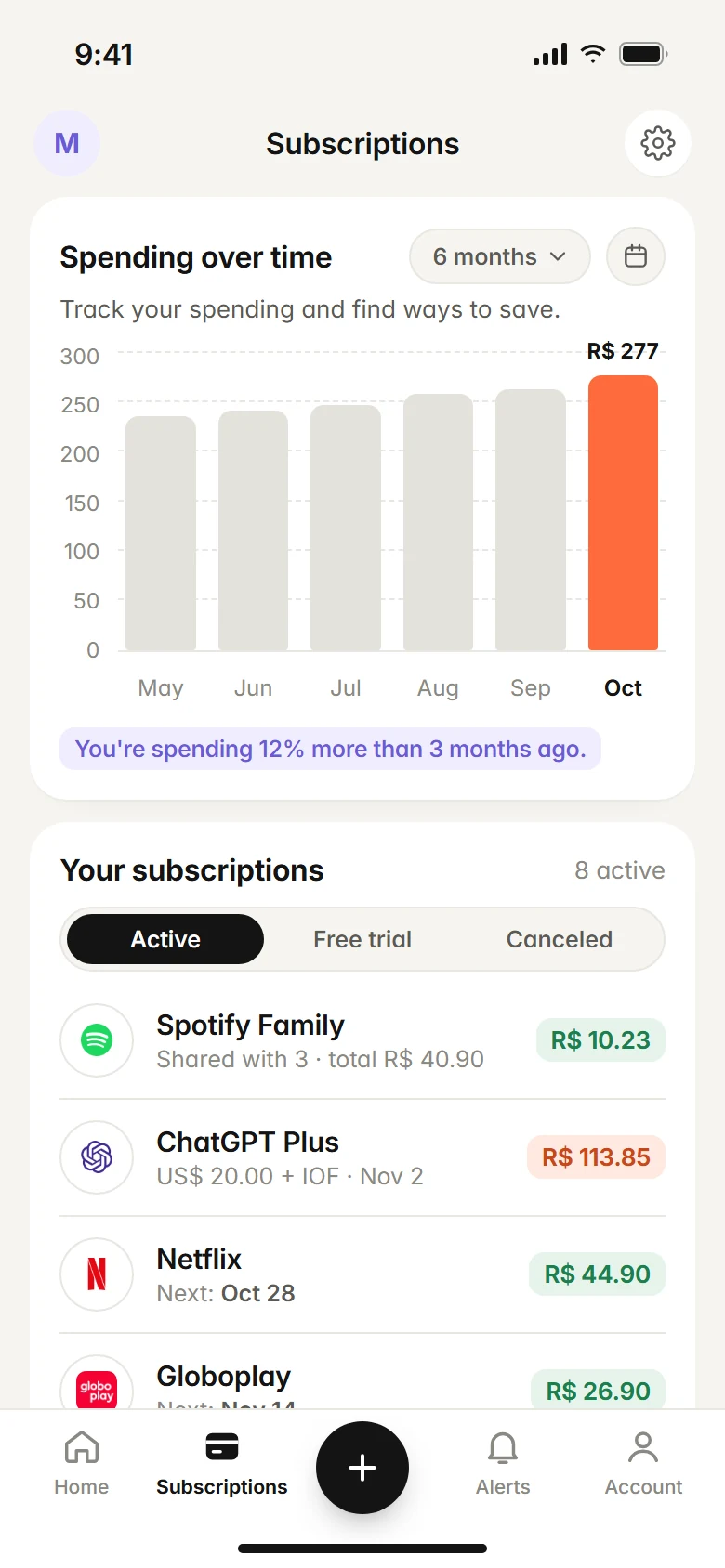
The free plan tracks up to 10 subscriptions with no time limit. Create your free account, and read how to avoid being charged after a free trial.
FAQ
If I cancel today, do I lose access right away?
Usually not. Canceling stops the next renewal, and you keep access until the end of the period you already paid for.
Can I get a refund after canceling a subscription?
It depends on the service's terms; many don't refund a partly used month. Purchases made through Apple or Google Play can be refund-requested from the store, and a charge after you canceled can be disputed with your card issuer.
Does deleting the app cancel my subscription?
No. Deleting an app doesn't stop billing. You have to cancel in the service's account or, if you subscribed on your phone, in the App Store or Google Play.
Does marking a subscription as canceled in Subfaro cancel it with the provider?
No. Subfaro only records the change in your tracker and gives you the provider's official cancel link. The actual cancellation happens with the provider.
Keep reading
All articles →
Guides6 min read
Spreadsheet or app to track subscriptions? An honest comparison
Spreadsheet or app to track subscriptions? A copy-ready spreadsheet template, its real limits, what a dedicated app adds and when a spreadsheet is enough.

Guides6 min read
How to find forgotten subscriptions on your card statement
Find forgotten and duplicate subscriptions on your credit card statement: how charges are labeled, what to check each month and a 30-minute audit checklist.

Money6 min read
Free Trial Ending? How to Avoid Being Charged
How to avoid free trial charges: set reminders, cancel right after signing up, use virtual cards, handle App Store trials and what to do if you were charged.