Guides6 min read
How to find forgotten subscriptions on your card statement
Find forgotten and duplicate subscriptions on your credit card statement: how charges are labeled, what to check each month and a 30-minute audit checklist.

In this article
Forgotten subscriptions are almost always on your credit card statement, just hidden behind labels like "APPLE.COM/BILL", "GOOGLE *" or "PAYPAL *". To find them, compare your last three statements, look for amounts that repeat and check your app store accounts, which group several subscriptions under one line. Here is a step-by-step way to do it in about half an hour.
Why forgotten subscriptions are so easy to miss
Nobody forgets a $500 bill. What slips through are small, automatic charges with unclear names:
- Tiny amounts: iCloud+ 50 GB at $0.99/mo or Google One Basic 100 GB at $1.99/mo disappear between coffee and gas.
- Generic labels: the line shows the app store or payment processor, not the actual service.
- Free trials: you tried something for a week, forgot, and the trial turned into a paid plan.
- Annual renewals: they show up once a year and are forgotten for the other eleven months.
- Multiple cards: one subscription on your main card, another on a store card, another on a virtual card number.
How subscriptions show up on your credit card statement
Every issuer formats merchant names differently, and the exact text varies. Still, a few patterns come up again and again:
| What it usually looks like | What it usually is | Where to check |
|---|---|---|
| APPLE.COM/BILL | App Store, iCloud+, Apple Music, Apple One | Apple Account subscriptions (Apple support) |
| GOOGLE * (followed by a name) | Google Play, YouTube Premium, Google One | Google Play subscriptions and your Google account |
| PAYPAL * (followed by a name) | Any service paid through PayPal | Automatic payments in your PayPal account settings |
| Service name + ".COM" | A direct charge (e.g. Netflix, Hulu) | The service's account page |
| Foreign transaction fee | A fee on a charge processed abroad | Look for the foreign charge next to it |
That last line is a useful clue. A foreign transaction fee next to a charge you thought was domestic often points to a subscription billed by a company abroad, such as an AI or design tool. Our guide on foreign transaction fees on subscriptions explains what it costs and how to avoid it.
What to look for, month by month
Open at least three consecutive statements and flag:
- Same amount, same day: a $12.99 charge every month on the 12th is almost certainly a subscription.
- Similar amounts that shift slightly: charges in another currency move with the exchange rate. If an amount changes by a few cents each month, check the original currency.
- Small round-ish amounts: $0.99, $1.99, $9.99. Plenty of entry plans live here, like Peacock Select at $8.99/mo or DashPass at $9.99/mo.
- Charges without an installment counter: buy-now-pay-later and installment plans usually show "3 of 6". Subscriptions don't.
- Processor names: PayPal and the app stores hide the real service behind their own name.
Then go back 12 months to catch annual charges. Plans like Amazon Prime yearly ($139/yr), Walmart+ yearly ($98/yr) or Peacock Premium yearly ($129.99/yr) appear once and are among the easiest to forget.
While you are at it, compare each recurring amount with what you remember signing up for. A subscription you still use can quietly cost more after a price increase or when an intro discount ends. That isn't a forgotten subscription, but it is money you may not have agreed to spend, and it's a good moment to decide whether the plan is still worth it.
Free trials that turned into charges
Free trials are one of the most common ways forgotten subscriptions start. You add a card "just to try it", and if you don't cancel before the trial ends, the first charge arrives automatically.
To spot them:
- Look for a new recurring charge from a service you remember testing.
- Check whether the first charge was lower (an intro price) and the next one jumped to full price.
- Search your email for a receipt: services usually send one for the first paid charge.
For next time: when you start a trial, write down the end date or set a reminder a few days before. Our guide on how to avoid being charged when a free trial ends covers it in detail.
Duplicate subscriptions: the most common cases
Duplicates are different from forgotten subscriptions. You use the service, but you pay twice for it, or for something already included in another plan. Typical examples with prices from the Subfaro catalog (checked in October 2026):
- Same service through two channels: YouTube Premium Individual is $15.99/mo directly and $20.99/mo via the App Store. It's easy to subscribe on your phone without remembering you already subscribed on the web.
- Individual plan plus a family plan: you join someone's Spotify Premium Family ($21.99/mo, shared) and forget to cancel your own Premium Individual at $12.99/mo.
- Bundle plus a standalone service: Apple One Individual ($21.95/mo) already includes Apple Music and iCloud+. Keeping a separate Apple Music Individual ($11.99/mo) means paying twice.
- Two services that do the same job: two cloud storage plans, two music apps, two AI assistants.
A 30-minute credit card statement audit
- Download the last three statements for every card, including authorized-user and virtual cards.
- List every recurring charge in a spreadsheet or app: name, amount, day and card.
- Open your app store accounts: check active subscriptions on your Apple Account and in Google Play. They explain the "APPLE.COM/BILL" and "GOOGLE *" lines.
- Check PayPal and other processors if they show up on the statement.
- Go back 12 months for annual renewals.
- Sort each item: use weekly, use sometimes, don't use.
- Cancel what you don't use and decide what to do with "use sometimes" (a cheaper plan, a pause or a cancel).
- Schedule the next review three months from now.
To see what everything adds up to per month and per year before deciding, try the Subfaro calculator.
How to cancel safely
- Cancel where you subscribed. If you signed up through the App Store or Google Play, cancel in the store. If you signed up on the website, the option usually lives under account or settings, in the plan or membership section. Netflix has an official cancel page, and Hulu handles it from your account page.
- Don't rely on canceling the card. It doesn't end the contract, and the service may retry the charge or bill another card on file.
- Keep proof of the cancellation (an email or a screenshot).
- Check the next statement to make sure the charge actually stopped.
- A charge you don't recognize at all? Contact your card issuer, which can investigate and dispute it.
How Subfaro helps
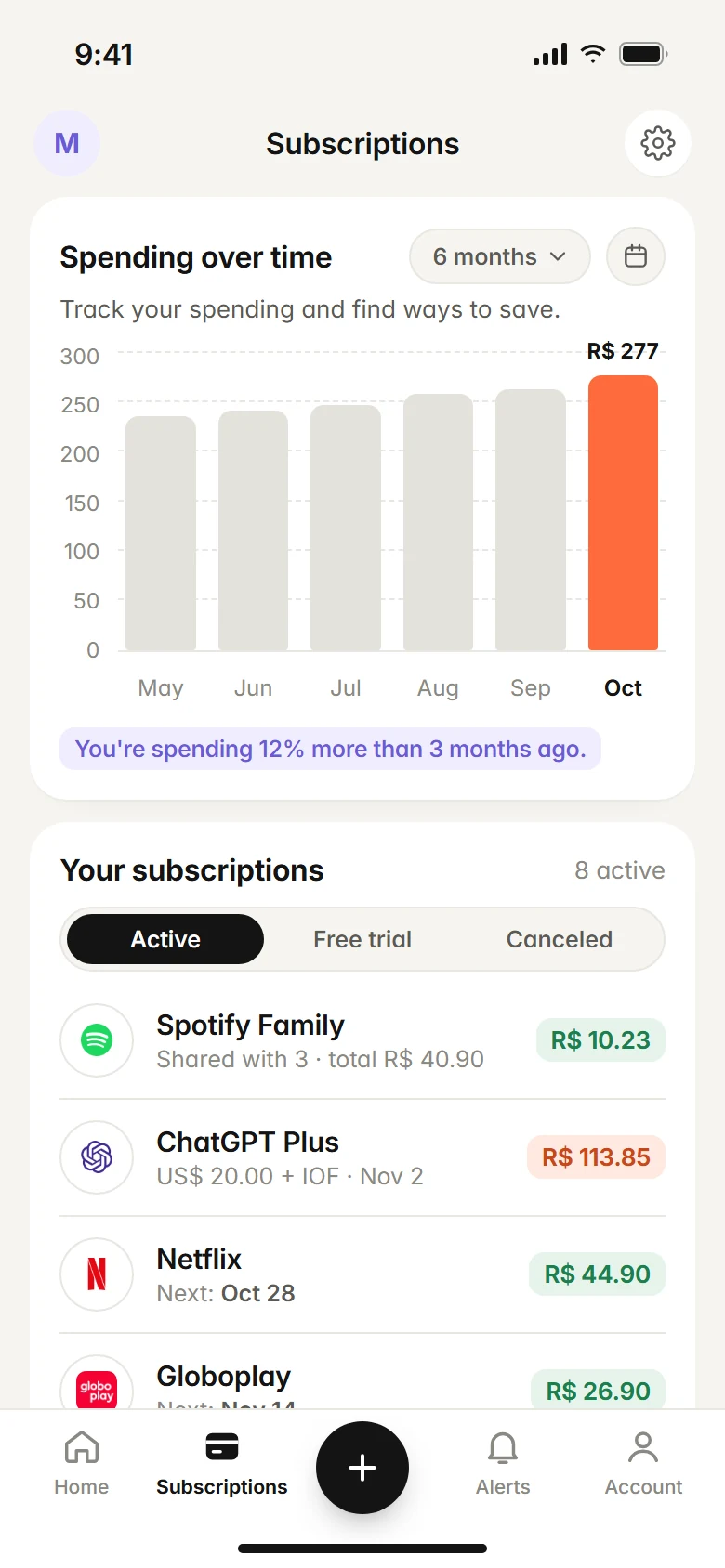
Doing this audit by hand works, but it takes time. With Subfaro you can import your card statement (PDF, CSV or OFX) and it finds the recurring charges for you to review. There is no bank connection, Subfaro never asks for your bank password, and the statement file isn't stored.
After that, every subscription gets an alert before each charge and before free trials end, and prices for about 30 services are checked weekly. Marking a subscription as canceled in Subfaro doesn't cancel it with the provider, but Subfaro gives you the provider's official cancel link. The free plan has no time limit and covers up to 10 subscriptions; see pricing or create a free account.
FAQ
How do I find all the subscriptions on my credit card?
Go through your last three statements and look for charges that repeat with the same or a similar amount around the same day. Then check your App Store, Google Play and PayPal subscription lists, since they bundle several services under one name.
What is APPLE.COM/BILL on my statement?
It is how Apple usually labels charges for App Store subscriptions, iCloud+ and other services billed to your Apple Account. To see which service it was, open the subscriptions list in your iPhone settings or on Apple's support site.
Does canceling my card cancel my subscriptions?
Not necessarily. The safe way is to cancel inside the service, or in the app store where you subscribed. A canceled or blocked card may just leave a failed payment while the subscription stays active.
How often should I check my statement for subscriptions?
A quick look every month and a full review every three months is usually enough. During the full review, go back 12 months to catch annual renewals.
Keep reading
All articles →
Guides6 min read
How to Cancel Subscriptions: Netflix, Spotify, Hulu and More
How to cancel subscriptions in the US: the path and official cancel link for Netflix, Spotify, Prime, Hulu, Max and more, plus refunds and remaining time.

Guides6 min read
Spreadsheet or app to track subscriptions? An honest comparison
Spreadsheet or app to track subscriptions? A copy-ready spreadsheet template, its real limits, what a dedicated app adds and when a spreadsheet is enough.

Money6 min read
Free Trial Ending? How to Avoid Being Charged
How to avoid free trial charges: set reminders, cancel right after signing up, use virtual cards, handle App Store trials and what to do if you were charged.