Streaming6 min read
Streaming rotation: how to save up to 75% a year
Streaming rotation means subscribing to one service at a time, bingeing, then switching. See how much it saves with real prices, plus a calendar and pitfalls.

In this article
Streaming rotation means subscribing to one or two services at a time, bingeing what you want to watch, canceling and moving on to the next. With four popular US services, rotating one per month cuts the yearly bill from $809.52 to $202.38, a 75% saving. Below are the numbers with real prices, how to build a calendar, and the pitfalls to avoid.
What is streaming rotation?
The idea is simple: instead of keeping every subscription active all the time, you keep only the one you're watching right now. When you finish the show or movie you wanted, you cancel and subscribe to the next one in line.
It works because few people can keep up with four catalogs at once. While you binge a series on one service, the others sit idle and keep billing you every month. Rotation swaps "having everything, always" for "having everything, one at a time."
How much does streaming rotation save?
Let's use four popular US services on standard plans, with prices checked in October 2026:
| Service | Plan | Price |
|---|---|---|
| Netflix | Standard | $19.99/mo |
| HBO Max | Standard | $18.49/mo |
| Paramount+ | Premium | $13.99/mo |
| Apple TV+ | Monthly | $14.99/mo |
| All four together | $67.46/mo |
Now, three ways to subscribe to the same four services over a year:
| Strategy | Cost per year | Average per month | Savings |
|---|---|---|---|
| All four, all year | $809.52 | $67.46 | — |
| Two at a time (each for 6 months) | $404.76 | $33.73 | $404.76 (50%) |
| One per month (each for 3 months) | $202.38 | $16.87 | $607.14 (75%) |
Notice that with one-per-month rotation you still watch all four services during the year. You just don't pay for them in the months you wouldn't be using them anyway.
With ad-supported plans, it drops even further
If you don't mind ad breaks, you can combine rotation with the cheapest tiers: Netflix Standard with ads ($8.99/mo), HBO Max Basic with Ads ($10.99/mo), Paramount+ Essential ($8.99/mo) and Apple TV+ ($14.99/mo, which has a single plan).
Rotating one per month on those plans, the whole year costs $131.88, an average of $10.99 a month. Compared with keeping all four standard plans all year, that's $677.64 less.
Want to compare other services? The full breakdown is in our article on how much every streaming service costs, and each service has its own page, like Netflix and Paramount+.
How to build a streaming rotation calendar
Rotation works best when you plan a few months ahead. A practical way to do it:
- List what you want to watch. Shows getting a new season, movies coming to streaming, the reality show or sports season you follow.
- Note which service has each one and when it premieres or becomes complete.
- Group by service. If three things you want are on the same service, put them all in the same month.
- Wait for the season to finish. Shows released weekly are better value if you subscribe once the whole season is out: one month covers it all.
- Spread out the months. One service per month, or two when a lot comes out at the same time.
- Leave a month "off" now and then. Not every month needs a paid service, and catching up on what you already have counts too.
An example calendar with the four services from the table:
| Month | Service | What for |
|---|---|---|
| January | Apple TV+ | A series you've been saving up |
| February | Netflix | New season of your favorite show |
| March | HBO Max | A show that wrapped up late last year |
| April | Paramount+ | A movie that just arrived on streaming |
| May to December | Repeat the cycle | Adjust as new releases are announced |
Release dates change all the time, so revisit your calendar every two or three months.
One month at a time or a full quarter?
The cost is the same either way. Whether you switch services every month or keep each one for three months in a row, every service is paid for three months a year, and the total stays at $202.38. Switching monthly keeps your options fresh. Longer blocks mean fewer cancellations to remember. Pick whichever fits how you watch: if you tend to finish a show in a couple of weekends, monthly switches waste less time on a service you've already exhausted.
Pitfalls before you cancel and come back
Rotation saves a lot, but it has a few traps. It's worth knowing them before you start.
Promotional prices don't come back
If you're paying a promotional price, a launch deal or an old rate that never went up, canceling means losing it. When you return, you pay the full current price. Run the numbers: sometimes the discount is worth more than rotating that particular service.
The same goes for free trials: they're usually only for people who have never subscribed.
Annual plans don't rotate
Annual plans are cheaper per month, but you pay upfront. Amazon Prime yearly, for example, costs $139.00 versus $14.99 a month on the monthly plan. That makes sense for the service you use all year, and only that one. Refund rules for canceling mid-term vary, so check before you subscribe.
When you come back, the price may be higher
Between one cycle and the next, the service may have raised its price or changed its plans. Check the price before you subscribe again. Also keep in mind that each service has its own rule for how long it keeps your profile, watchlist and history after you cancel.
Cancel in the right place
The option usually lives under account or settings → plan or membership → cancel. If you subscribed through the App Store or Google Play, you cancel in the store. Official cancellation links for three of the services in the example:
- Netflix: netflix.com/cancelplan
- HBO Max: auth.max.com/subscription
- Paramount+: paramountplus.com/account
Apple TV+ is managed from your Apple account's subscription settings. With most services you keep access until the end of the period you've paid for. So a good habit is to cancel right after subscribing: you still get the whole month, with no risk of forgetting.
When streaming rotation isn't worth it
Rotation isn't for everyone. If your whole household uses the same service every week, keep that one and rotate the rest. If you share an account with other people, agree on it before canceling. And if you mainly watch live sports, a season may require several months in a row on the same service.
Even then, rotating the "seasonal" services usually adds up to real savings.
How Subfaro helps with rotation
Rotation only works if you remember to cancel. That's where a subscription tracker helps.
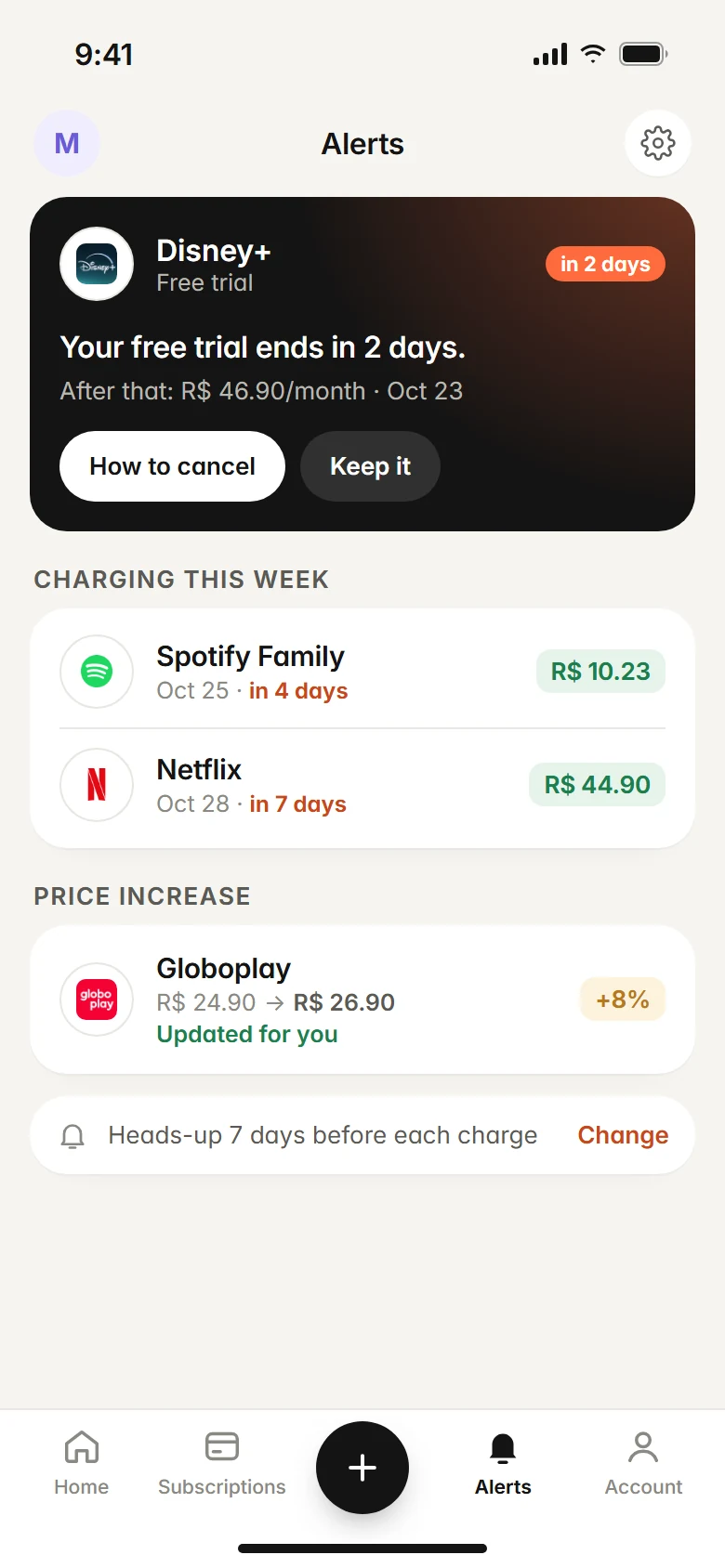
- Rotation insight: when you have three or more video streaming services active, Subfaro shows how much you'd save by rotating one per month. For the four standard plans in the example, it would show savings of up to $569.64 a year. It's a conservative estimate that assumes you'd pay for the most expensive one ($19.99) every month.
- Alerts before every charge and before free trials end, so you can cancel before you're billed again.
- Price-change alerts: prices for about 30 services are checked every week, so you know whether the price changed before you resubscribe.
One important detail: marking a subscription as canceled in Subfaro doesn't cancel it with the provider. Subfaro gives you the official cancellation link so you can finish there.
The free plan has no time limit and covers up to 10 subscriptions. You can estimate your spending with the calculator or create a free account.
FAQ
What is streaming rotation?
It means subscribing to one or two services at a time, watching what you want, canceling and moving on to the next. You only pay for the months you actually use each service.
How much can you save by rotating streaming services?
With Netflix, HBO Max, Paramount+ and Apple TV+ on standard plans, keeping all four all year costs $809.52. Rotating one per month brings the year down to $202.38, a saving of $607.14 (75%). Prices checked in October 2026.
Do I lose access as soon as I cancel?
With most services, no: you keep access until the end of the period you've already paid for. Check your service's rule on its cancellation page.
Can I rotate an annual plan?
No. An annual plan is paid upfront and ties you to the service for 12 months. It only makes sense for the one service you use all year.
Keep reading
All articles →
Streaming6 min read
How much does every streaming service cost in 2026
We added up 11 US streaming services: $149.39/mo on the cheapest plans and $199.89/mo on standard plans. See the full price table and what to keep.

Money6 min read
Free Trial Ending? How to Avoid Being Charged
How to avoid free trial charges: set reminders, cancel right after signing up, use virtual cards, handle App Store trials and what to do if you were charged.

Guides6 min read
How to Cancel Subscriptions: Netflix, Spotify, Hulu and More
How to cancel subscriptions in the US: the path and official cancel link for Netflix, Spotify, Prime, Hulu, Max and more, plus refunds and remaining time.